
YuniqueS limited

Voxtiva: Live Meeting Translation for Meet, Teams, Zoom
Live translation for Google Meet, Teams and Zoom in 35+ languages. Ask privately, get a summary after. Needs the free Voxtiva app.
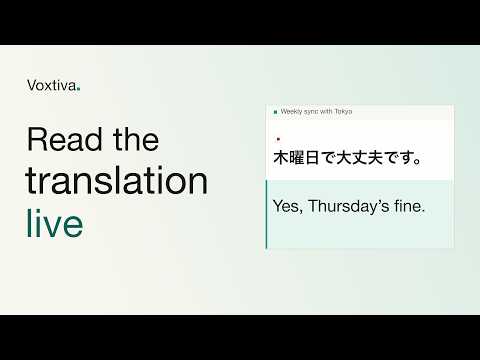
Understand every word of the meeting. Voxtiva translates your Google Meet, Microsoft Teams and Zoom calls live, in 35+ languages. Each line shows what was said, with the translation right under it. What you get • Live translation in 35+ languages. Voxtiva detects the languages by itself and translates both ways. • Not sure what was said? Ask privately. Ask Voxtiva a question in your language during the meeting. Only you see the question and the answer. • After the call, the summary is done: key points, action items with owners and due dates, and a drafted follow-up email. • Speaker names from the meeting, so you know who said what. • Works face to face too. Sitting in the same room? Voxtiva translates the conversation the same way, through your computer's microphone. • No bot joins the meeting. Nothing records until you press Start. How it works 1. Install the free Voxtiva app for Mac or Windows, and sign in. 2. Add this extension to Chrome. 3. Join your meeting in Chrome. Voxtiva offers to start. Press Start. What this extension does This extension links your browser meeting to the Voxtiva app. It notices when you join a meeting, reads the participant names the meeting shows, and keeps your microphone in step with the meeting's mute button: when you mute in the meeting, Voxtiva stops listening to your microphone. It does not read captions, chat or meeting content. For a meeting in the same room, you only need the Voxtiva app. Privacy Nothing records until you press Start, and no bot joins your call. The extension sends only the meeting state, the participant names shown in the meeting and your mute state to the Voxtiva app on your computer. Privacy policy: https://www.voxtiva.com/privacy Requirements • The free Voxtiva app: macOS 14.4 or later, or Windows 11. Download: https://www.voxtiva.com/download • Google Meet, Microsoft Teams or Zoom, in Chrome. • Free plan: 60 minutes a month, no card.

Details
- TraderThis developer has identified itself as a trader per the definition from the European Union and committed to only offer products or services that comply with EU laws.
- D-U-N-S686932295