
WEBMIND TECHNOLOGIES LTD

Find and highlight multiple words at once on web pages, each in its own color. Multi-keyword Ctrl+F; PDF search & OCR with PRO.
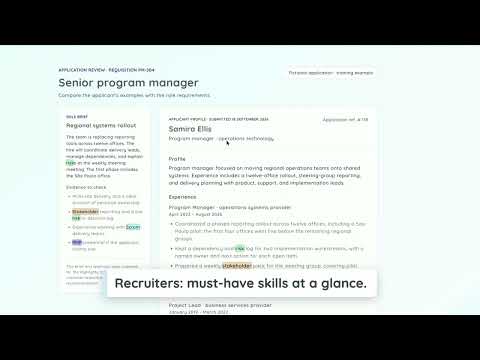
Highlighty is a multi-keyword highlighter: find and highlight multiple words or phrases at once on web pages, each in its own color, then jump between the results and read each one in context. Handy for reviewing contracts, screening CVs, research and proofreading. 🔎 A Ctrl+F for many words: by default, Ctrl+F (Cmd+F on Mac) on a supported page opens Highlighty's multi-term find bar instead of the browser's. Turn this off in the popup, or press Ctrl+Shift+F (Control+Shift+F on Mac) at any time. 🆓 The free plan is ad-free and includes up to five active terms per list and two saved lists; no account is needed. 💎 PRO is a paid subscription sold by Webmind Technologies Ltd through Paddle. Create and verify a free account to try PRO first. Limits, trial and pricing: https://highlighty.app/pricing ❗ After installing, refresh any tabs that were already open. --- ⚙️ How it works 1. Open a supported website. 2. Type a word or phrase into the Highlighty popup and add more as needed. 3. An on-page message shows which terms were found. 4. Step through the colored results, or press Ctrl/Cmd+F to use the find bar. Tutorials and videos: https://highlighty.app/how-to-use --- ✨ Free features ✔️ Navigation between results, with case, diacritic and whole-word options ✔️ X-Ray panel with snippets around each occurrence, including text in collapsed sections, tabs and accordions ✔️ Scrollbar markers ✔️ Color randomizer and automatic text contrast (WCAG 2.0) ✔️ Matches shown inside text inputs, text areas and rich-text editors, without changing what you typed ✔️ Keeps up with endless scroll and content that loads later ✔️ Import lists from .xlsx, and download or upload them, within plan limits ✔️ Custom navigation shortcuts and a manual mode with a hotkey trigger ✔️ Site allow and block lists, compact view, auto-focus 💎 With a trial or PRO ✔️ Unlimited entries and saved lists, plus full backup and restore ✔️ PDF workspace for PDFs with selectable text (password-protected files are not supported) ✔️ On-device English OCR for scanned PDFs; accuracy depends on scan quality ✔️ Regular expressions; fuzzy matching, recent searches and a snippets panel in the find bar ✔️ Find across your open tabs ✔️ Color picker and palette, toolbar match count, larger font (up to 25px), select-to-search, quick pause toggle ✔️ Match history: an on-device list of pages where your terms matched, with counts and CSV export. Off by default; clear it any time. --- 🔒 Privacy • Your search terms, page text and PDFs are processed in your browser and are not sent to Highlighty. OCR runs on your device. • If you create an account, your email address is used for sign-in, the trial and your subscription. You can delete your account in Settings > Account. • Details: https://highlighty.app/privacy ▸ Performance note Very large pages with many entries use more CPU; older computers may slow down with many tabs open. --- 📨 Contact hey@highlighty.app — questions and bug reports welcome

Details
- AddressWEBMIND TECHNOLOGIES LTD
1 Hova Villas Hove BN3 3DH GB - TraderThis developer has identified itself as a trader per the definition from the European Union and committed to only offer products or services that comply with EU laws.
- D-U-N-S234099259