
Tamitu Solutions LLC

Palette for Canvas LMS: Bulk Edit + Accessibility
Canvas LMS toolkit for instructors: batch edit content, shift dates, run accessibility fixes, and execute workflows with AI.
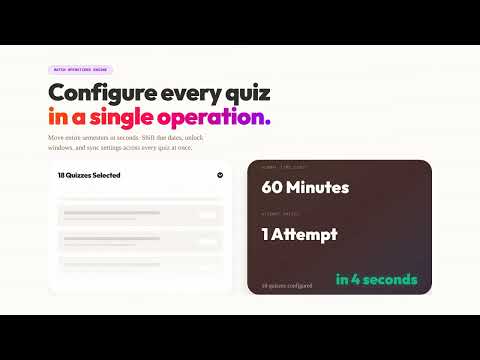
Canvas LMS bulk editing and accessibility remediation for instructors, instructional designers, and course admins. Palette combines three workflows in one Chrome extension: - Batch Operations Engine: bulk update assignments/pages/discussions, run find and replace, shift dates for new terms, and publish/unpublish in bulk. - In-Editor Accessibility Toolbar: scan Canvas RCE content, prioritize issues by severity, run Fix All for supported checks, and review Diff Preview before applying. - AI Command Center (Pro): describe the outcome in plain language and execute multi-step Canvas workflows with reviewable results. Common workflows Palette solves: - Canvas bulk edit assignments and pages - Canvas find and replace across course content - Canvas date shift for term rollover - Canvas accessibility checker and guided fixes - Canvas AI alt text generation (optional Pro feature) How it works: 1) Install Palette from the Chrome Web Store 2) Open any Canvas course 3) Use the side panel to run batch operations, accessibility scans, or AI workflows 4) Review changes and apply with snapshots/activity logs for rollback confidence Why teams choose Palette: - Built for instructor and instructional design workflows (not student theming) - Uses your existing Canvas session (no API token setup required) - Optional AI features are request-based, not always-on background processing Privacy and security: - Core Canvas actions run from your browser to your Canvas instance - Optional account/AI/analytics features use Supabase, Stripe, and OpenAI only for requested capabilities - No ads and no sale of personal data Pricing: - Free: Explore tools, scans/reports, and previews - Plus ($14.99/mo with free trial): Full batch editing, date shift, find/replace, and guided accessibility fixes - Pro ($24.99/mo with free trial): Everything in Plus plus AI Command Center, AI alt text, cross-course workflows, and priority support Requirements: - Google Chrome (114+) - Canvas LMS account (*.instructure.com or *.inscloudgate.net) - Instructor, TA, or instructional designer permissions Support: https://workwithpalette.com

Details
- AddressTamitu Solutions LLC
307 East 6th Street Davenport, IA 52803 US - TraderThis developer has identified itself as a trader per the definition from the European Union and committed to only offer products or services that comply with EU laws.
- D-U-N-S140965031