
rtrvr.ai

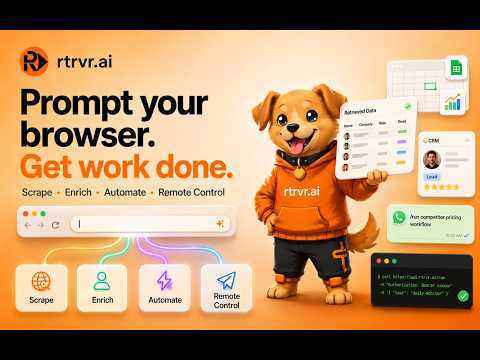
Describe the outcome. Retriever works across the sites you use and brings back the finished result.
Retriever AI: Browser Agent to Automate the Web Turn your browser into a self-driving assistant. 🦮 🆓 FREE with ads or your own LLM API key. 100 starter credits, no credit card required. Retriever helps you complete repetitive web tasks from a simple prompt, including data scraping, form filling, research, monitoring, and multi-step workflows across websites. Instead of clicking through pages, copying information, and rebuilding scripts for every task, tell Retriever what you want done. Retriever can inspect the page, plan the workflow, act in your browser, use your logged-in session, call connected tools, and return structured results. ━━━━━━━━━━━━━━━━━━━━━━ 🚀 1. Code-powered browser workflows Retriever can write and execute code to complete complex browser tasks. This makes it useful for workflows that require logic, loops, data cleanup, page interaction, and structured output. It can combine browser actions with tool calls, process information from the current page, and produce clean results. Example prompts: • “Collect product details from these pages and save the results to a Sheet.” • “Go through this directory and extract company names, websites, and locations.” • “Research these competitors and summarize pricing, positioning, and recent updates.” ━━━━━━━━━━━━━━━━━━━━━━ 🕸️ 2. Collect structured data from websites Use Retriever to gather information from pages, dashboards, directories, marketplaces, lists, and authenticated tools. Retriever can help with: • Tables and directories • Product listings • Company pages • Job boards • Research sources • Logged-in dashboards • Paginated or dynamic pages • Exports to Sheets, CSV, or JSON Because Retriever works in your browser, it can use the pages and sessions you already have open. ━━━━━━━━━━━━━━━━━━━━━━ ✨ 3. Enrich lists with live web context Start with a list of people, companies, jobs, products, or accounts. Retriever can enrich with pre-indexed datasets of profiles, contact details, companies, posts, and job listings. Use it to add: • Profile links • Company websites • Roles, titles, email • Company summaries • Notes for outreach • Job or product details • CRM-ready fields Retriever can also call connected dataset tools, including supported marketplace datasets, to enrich information on the fly while using context from your current browser session. Example prompts: • “Enrich this attendee list with current role, company, profile link, and a short outreach note.” • “Find company websites for these leads and add a one-line summary for each.” • “Turn this raw list into a CRM-ready spreadsheet.” ━━━━━━━━━━━━━━━━━━━━━━ ⚙️ 4. Automate repetitive browser work Retriever can operate your browser like an assistant for everyday web tasks. Use it for: • Filling forms • Updating records • Applying to jobs • Collecting research • Moving data between tools • Uploading files • Checking websites • Organizing information • Completing repeated workflows Example prompts: • “Apply to these jobs using my resume and track the status.” • “Update these CRM records with the latest company information.” • “Fill out this form using the data from my spreadsheet.” ━━━━━━━━━━━━━━━━━━━━━━ 📡 5. Trigger workflows remotely Retriever workflows can be started from more than just the extension popup. Trigger saved workflows from: • WhatsApp • MCP clients • CLI • API • curl commands • Schedules • Cloud dashboard shortcuts Run a workflow from your phone, terminal, or another AI tool, then check the result later. Example prompts: • “Schedule this competitor pricing check every morning.” • “Run my saved CRM cleanup workflow.” • “Trigger this browser task from an API call.” ━━━━━━━━━━━━━━━━━━━━━━ 🎓 6. Teach once, reuse later Show Retriever a workflow once and save it as a reusable shortcut or subroutine. Useful for repeated actions such as: • Updating a record • Sending a message • Filling the same form • Running a site-specific process • Repeating a browser workflow After saving it, you can run the workflow again from the extension, cloud dashboard, remote triggers, or scheduled automations. ━━━━━━━━━━━━━━━━━━━━━━ 🧠 7. Knowledge base and research memory Retriever can help organize browser research into reusable context. Use it to: • Index open tabs • Save research sources • Summarize pages • Query saved information • Reference prior research during workflows This helps Retriever make better decisions when completing multi-step tasks. ━━━━━━━━━━━━━━━━━━━━━━ 💸 8. Flexible pricing Retriever gives you flexible ways to power your browser workflows. • Bring your own API key for supported model providers • Use local or self-hosted compatible models • Paid plans start at $9.99/month • Higher plans support larger workflows, cloud runs, API usage, and team features Already have your own model access? Connect it to Retriever. Want more control? Use your own key or local model. Need more convenience and scale? Upgrade when your workflows grow. ━━━━━━━━━━━━━━━━━━━━━━ 🔑 9. Why Retriever is different Retriever is built for real browser work. It can: • Read page context • Act inside your browser • Write and execute code • Use connected tools • Work with logged-in sessions • Save reusable workflows • Run on a schedule • Export structured results • Start from remote triggers Retriever is a browser assistant for turning repetitive web tasks into repeatable workflows. ━━━━━━━━━━━━━━━━━━━━━━ 🦮 Prompt your browser. Retriever brings back the result. Install Retriever AI and turn Chrome into a browser assistant for data collection, enrichment, automation, research, and remote workflows. Our discord: https://rtrvr.ai/discord Support: support@rtrvr.ai

Details
- Addressrtrvr.ai
260 Clara Street Apt 6 San Francisco, CA 94107 US - TraderThis developer has identified itself as a trader per the definition from the European Union and committed to only offer products or services that comply with EU laws.
- D-U-N-S119443345