
QReserve Inc.

QReserve for Google Calendar™
Add QReserve functionality to Google Calendar™
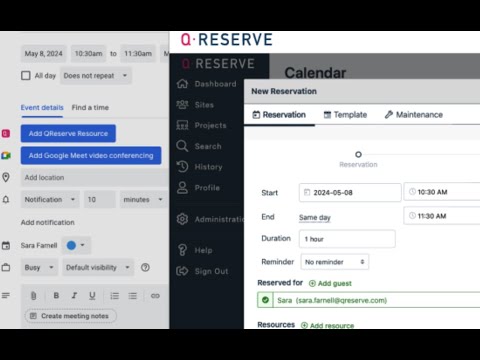
Easily add your QReserve resources (equipment, locations, services, etc) directly to your event bookings via Google Calendar™. How does it work? - Once the extension is installed in your browser, create a new Google Calendar™ event and choose the “More options” button from your Google Calendar™ booking. - Click the Add QReserve Resource button. - Sign in via the QReserve window and easily access any of your QReserve sites (note you must already have a QReserve account). - Select and reserve any QReserve resources that you have access to (equipment, locations, services, etc) - you can book multiple resources at once. - Click save and your reservation is made - in both your Google Calendar™ and in QReserve! - Need to make a change? Update and edit a QReserve reservation via your Google Calendar™ event. ABOUT QRESERVE QReserve helps thousands of people around the globe access the facilities, services, equipment, and spaces they need with smart calendars and workflow solutions.

Details
- AddressQReserve Inc.
175 Longwood Rd S Suite 413A Hamilton, ON L8P 0A1 CA - TraderThis developer has identified itself as a trader per the definition from the European Union and committed to only offer products or services that comply with EU laws.
- D-U-N-S205846553