
Loadmill LTD

Loadmill Test Composer
9 ratings
)Generate API Tests using AI
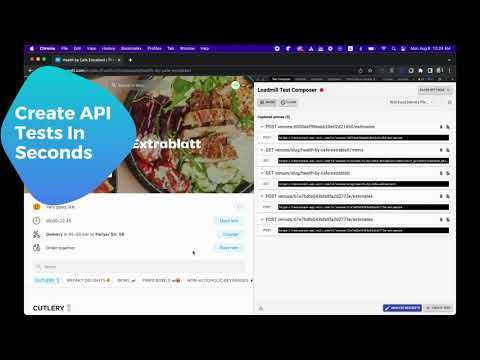
Loadmill Test Composer uses AI to generate automated API tests in real-time, right from your browser. Spend less time creating boilerplate and repetitive test code and more time adding your own insights to your tests. Play a user flow in your app, and Loadmill Test Composer will generate an end-to-end API test script from the API traffic observed in your browser. How to use Loadmill Test Composer to generate an end-to-end API test: ➤ Click the Loadmill extension icon in Chrome to open the Loadmill side panel ➤ If you are not logged in to Loadmill, you will be prompted to sign in ➤ Click Start and play the user flow you would like to test ➤ Let Loadmill analyze the API requests observed during the flow ➤ When you are done, click Create Test at the bottom Note for existing users: Loadmill Test Composer has moved from the Chrome Developer Tools tab to the Chrome side panel. ★ What's new • Side panel migration: Loadmill Test Composer now opens in Chrome's side panel instead of a DevTools tab • Updated side panel flow, including better behavior on tab switch, resume, and panel close • Improved side panel layout and tooltip behavior when zooming out • Added support for split incognito mode ★ Supported features • Auto Analyze Mode: Tests can now analyzed and filtered automatically as you record. • Added an option to revert the AI analysis • Support for multiple recording profiles (Using different processing algorithms for each) • Better support for multi-systems testing. Upload HARs to combine recordings from multiple applications into a single test flow • Test analysis will now use your account algorithm settings • Improving the ability to hide and obfuscate sensitive values • No longer clearing the request list after test creation • Updated UI visuals and Layout • Adding automated API descriptions • Filter irrelevant requests from your session in one click • View WebSocket binary messages in clear text • WebSocket! WebSocket events are now included in the generated tests. • Syntax highlighting for JSON • Showing the request and response body • Better control on which requests will be filtered out • Copy a single request and paste it into your Loadmill tests • Better support for base64 encoded responses • Create a new test suite by typing its name in the test suite selector bar

Details
- AddressLoadmill LTD
Ariel Sharon Street 4 Floor 25, Room 52 Giv'atayim 5320047 IL - TraderThis developer has identified itself as a trader per the definition from the European Union and committed to only offer products or services that comply with EU laws.
- D-U-N-S532369482