
Lifecycle AI, LLC

Helio Browser
Let a Helio assistant use your local Chrome, with your real login state.
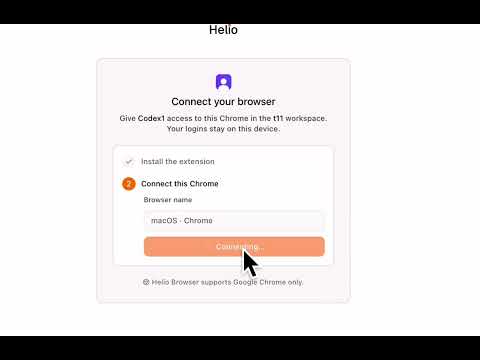
Helio Browser connects your Chrome to your Helio AI assistant (https://helio.im), so it can work in websites using your real login state — no bot detection walls, no re-authentication, no cloud browser. WHAT IT DOES When you ask your Helio assistant to do something on the web — research, fill forms, manage dashboards, or work in tools you're already signed in to — the assistant opens a dedicated tab group in your Chrome and works there, exactly like a colleague using your browser with your permission. HOW IT WORKS • Explicit pairing: nothing happens until you connect this browser to a specific assistant via a one-time link from the Helio app. You approve every pairing. • Visible presence: whenever the assistant is working, its tabs are grouped under the assistant's name and every page shows a "Helio is working" indicator. There is no hidden or background browsing. • You stay in control: take over any tab at any time — cancelling Chrome's debugging banner instantly ends all active sessions and leaves the tabs to you. Disconnect an assistant (or all of them) anytime from the popup. • Scoped to sessions: the assistant only sees and controls tabs inside its own session tab group. Your other tabs, windows, and browsing are never touched. PERMISSIONS, EXPLAINED • "debugger" — lets the paired assistant control pages inside its session tab group (Chrome DevTools Protocol). • Access to websites — used only to show the visible "Helio is working" indicator on pages inside a session, and to talk to Helio's servers. • "tabs" / "tabGroups" — to create and clean up the assistant's session tab group. • "storage" — to remember your pairing on this browser. REQUIREMENTS A Helio account (https://helio.im) with an AI assistant. Desktop Google Chrome only.

Details
- AddressLifecycle AI, LLC
651 N Broad St, Suite 201 Middletown, DE 19709 US - TraderThis developer has identified itself as a trader per the definition from the European Union and committed to only offer products or services that comply with EU laws.