
Kalo Technologies, Inc.

SheetWhiz brings Trace Precedents, Trace Dependents, Goal Seek, What-If, Macabacus format cycling, Excel and PPT shortcuts to Google
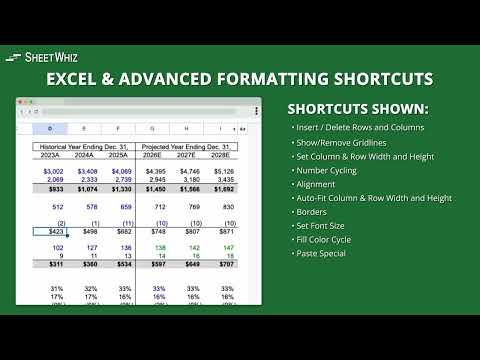
Love your Excel and PowerPoint shortcuts but can't use them in Google Sheets? Now you can. Whether you're building financial models, auditing inherited spreadsheets, reviewing AI-generated spreadsheets, preparing board decks, or simply trying to work faster, SheetWhiz brings the speed and productivity of Excel to Google Sheets and Google Slides. Not an Excel power user? That's okay too. SheetWhiz defaults to familiar Excel and PowerPoint shortcuts, but every shortcut is fully customizable so you can create the workflow that works best for you. ➤ Trace Precedents for Google Sheets • See every cell referenced by your formula in one window • Navigate precedent cells using the keyboard • Press F5 to return to your original formula after reviewing precedents • Make edits to your spreadsheet formula without closing the Trace Precedents window • Drill into precedents of precedents without rerunning the tool • Audit inherited spreadsheets and AI-generated spreadsheets before relying on the results • Use the built-in AI Assistant to explain formulas in plain English using the context of your spreadsheet, identify potential modeling issues, highlight assumptions, and answer follow-up questions about your formulas and spreadsheet logic • Better understand complex financial models before sharing them with teammates, customers, or your board • Similar to Trace Precedents tools in Macabacus, Arixcel, FactSet, and S&P Capital IQ ➤ Evaluate Formulas and Groups • Step through formulas one calculation at a time, similar to Excel's Evaluate Formula feature • Evaluate groups of formulas across your spreadsheet • Debug nested formulas and inherited spreadsheet models • Better understand formulas generated by AI before relying on them • Useful for formula auditing, spreadsheet auditing, and financial model review ➤ Trace Dependents for Google Sheets • See every formula affected by a selected cell • Navigate dependent cells with keyboard shortcuts • Analyze individual sheets or entire workbooks • Understand downstream formula impact before changing assumptions or inputs • Similar to Trace Dependents tools in Macabacus, Arixcel, FactSet, and S&P Capital IQ ➤ Excel Shortcuts for Google Sheets Bring familiar Excel shortcuts to Google Sheets, including: • Insert Rows and Columns • Delete Rows and Columns • Border Shortcuts • Paste Special • Paste Formulas • Paste Values • Paste Formatting • Format Painter • AutoFit Rows and Columns • Set Row Height and Column Width • Align Left, Center, Right, Top, Middle, and Bottom • Wrap Text, Overflow Text, and Clip Text • Add Filters • Remove Filters • Clear Filters • Open Filter Drop-Down • Freeze Rows • Freeze Columns • Unfreeze Rows and Columns • Merge Cells • Unmerge Cells • Merge and Center • Conditional Formatting • Data Validation • Pivot Tables • Split Text to Columns • Remove Duplicates • Named Ranges • Custom Number Formats • Font Size • Font Color • Fill Color • Zoom In and Zoom Out Popular default shortcuts include: • Trace Precedents (Ctrl+Shift+[) • Trace Dependents (Ctrl+Shift+]) • Goal Seek (Alt, A, W, G) • What-If Analysis and Data Tables (Alt, A, W, T) • Paste Special (Alt, E, S) • Add or Remove Filter (Ctrl+Shift+L) • Insert Rows and Columns (Ctrl+Shift++) • Delete Rows and Columns (Ctrl+Shift+-) • Export Selection as Image (Ctrl+Shift+C) All shortcuts are fully customizable. ➤ Format Cycling for Google Sheets Apply Macabacus-style Format Cycling using familiar Excel shortcuts. Quickly cycle through: • General Number Formats • Percent Formats • Local Currency • Foreign Currency • Date Formats • K, M, bps, and SOFR Formats • Font Colors • Fill Colors • Company Colors • Indentation (yes you can indent in Google Sheets!) • Multiples Perfect for finance, FP&A, investment banking, private equity, consulting, accounting, and operations teams that rely on consistent spreadsheet formatting. ➤ Goal Seek for Google Sheets • Replicates Excel's Goal Seek directly inside Google Sheets • Solve for the input that produces your target output • Perfect for financial modeling, budgeting, forecasting, valuation, and scenario planning ➤ What-If Analysis and Data Tables for Google Sheets • Create one-variable Data Tables • Create two-variable Data Tables • Perform What-If Analysis directly inside Google Sheets • Run sensitivity analysis for financial models, forecasts, operating models, budgets, and pricing models ➤ Export Selection as Image Copy spreadsheet ranges into Google Slides or Google Docs while preserving formatting and automatically linking the image back to the source cells. Perfect for board decks, investor presentations, recurring reports, management reporting, and financial model outputs. ➤ Auto-Color Hardcoded and Linked Cells Automatically color hardcoded cells blue and links to other tabs green so Google Sheets models are easier to understand, audit, and review. Quickly identify: • Hardcoded assumptions • Inputs • Links to other tabs • Spreadsheet structure ➤ PowerPoint Shortcuts for Google Slides Bring familiar PowerPoint shortcuts to Google Slides, including: • Align Objects • Align Text • Distribute Horizontally • Distribute Vertically • Increase Font Size • Decrease Font Size • Set Font • Set Font Size • Font Color • Fill Color • Group • Ungroup • Bring Forward • Bring to Front • Send Backward • Send to Back ➤ Keyboard Support Works on Windows and Mac. • ALT is replaced with Option on Mac • CTRL on Windows maps to Control on Mac, not Command • ALT shortcuts are press-and-release sequences • CTRL shortcuts are press-and-hold • All shortcuts are customizable Every new install includes a 21-day free trial of SheetWhiz Pro. After the trial, you'll automatically continue on the Free plan with core Excel shortcuts, with the option to upgrade at any time. SheetWhiz is SOC 2 Type 2 compliant and backed by Y Combinator.

Details
- AddressKalo Technologies, Inc.
908 Florida St San Francisco, CA 94110-2807 US - TraderThis developer has identified itself as a trader per the definition from the European Union and committed to only offer products or services that comply with EU laws.