
cloudHQ

AI Assistant for Gmail by cloudHQ
10 ratings
)Automatically write emails using AI Assistant for Gmail
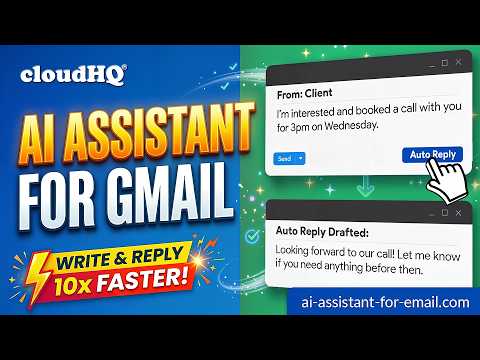
AI Assistant for Gmail puts ChatGPT inside Gmail. Draft a full email from a short prompt, reply to any thread with a response that understands the context, or select text you’ve already written and fix the grammar, shorten it, or change the tone. Everything happens in the Gmail window you already have open. What it does: ✅ Write emails from a prompt: describe what you want to say and get a complete draft, ready to edit or send. ✅ Reply in context: generate a response to any email you receive, based on what the thread actually says. ✅ Fix grammar and spelling: catch typos and awkward phrasing before you hit send. ✅ Rewrite and summarize: select any text, right-click, and choose Fix Grammar, Summarize, Rewrite, or your own prompt. ✅ Outreach emails: generate first-contact and follow-up emails from scratch. ✅ Works in any language: write and reply in the language you and your recipient use. ✅ Built for Gmail: the extension lives in the compose window and next to the Reply button, so there’s nothing to copy and paste. ✅ Privacy: your emails are not used to train any models, and you can connect your own OpenAI API key so requests go directly to your account. How to use it: 1. Install the extension. 2. Open Gmail and start a new email. 3. Click the AI Assistant for Gmail icon in the compose window and type what you want the email to say. You can also type @chatgpt directly in the message body. 4. Review the draft, edit if needed, and send. ~~~ More ways to use it: ~~~ - Edit existing text: select any text in your email, right-click, and choose an option such as Fix Grammar or Summarize. - Reply prompts: click the extension icon next to the Reply button to choose from a set of reply prompts, such as “Answer to the best of your knowledge,” which writes a response based on the content of the email. - Custom prompts: add your own prompts by clicking the extension icon in the top-right corner of your browser. For a shared library of prompts and shortcuts, you can also use the Gmail Snippets by cloudHQ extension. ~~~ FAQ ~~~ Q: What is AI Assistant for Gmail? A: A Chrome extension that connects ChatGPT to Gmail so you can draft, reply to, and edit emails without leaving your inbox. Q: What can it do? A: Write new emails, reply to emails, fix grammar and spelling, rewrite or summarize text, and send your own instructions to the AI. It also includes a prompt library. Q: Can I use my own OpenAI API key? A: Yes. Add your key in the extension settings and requests will be billed to your own OpenAI account. Q: Can I use my own fine-tuned model? A: Yes. Contact us and we’ll help you set up a fine-tuned model for your account. Q: How do I build a library of prompts? A: You can customize the context and auto-reply prompts in the extension, and use Gmail Snippets by cloudHQ to create shortcuts for prompts you use often. cloudHQ website: https://www.cloudhq.net/ App website: https://www.ai-assistant-for-email.com/ Pricing: https://www.ai-assistant-for-email.com/pricing Support: https://support.cloudhq.net/category/browser-extensions/ai-assistant-for-gmail/ FAQ: https://support.cloudhq.net/ai-assistant-for-gmail-faq-frequently-asked-questions/ Blog: https://blog.cloudhq.net Gmail, Google Chrome, and Google Workspace are trademarks of Google LLC. Use of these trademarks is subject to Google Permissions. ChatGPT and OpenAI are trademarks of OpenAI. cloudHQ is not affiliated with, endorsed by, or sponsored by OpenAI or Google. cloudHQ is a trademark of cloudHQ LLC. https://www.cloudhq.net/trademark

More from cloudHQ


Details
- AddresscloudHQ
2247 29th Ave San Francisco, CA 94116-1738 US - TraderThis developer has identified itself as a trader per the definition from the European Union and committed to only offer products or services that comply with EU laws.
- D-U-N-S064785518