
Cloud Captains

MBOX and PST Viewer: open and read email archives right in your browser. Search, tag and export, fully offline and private.
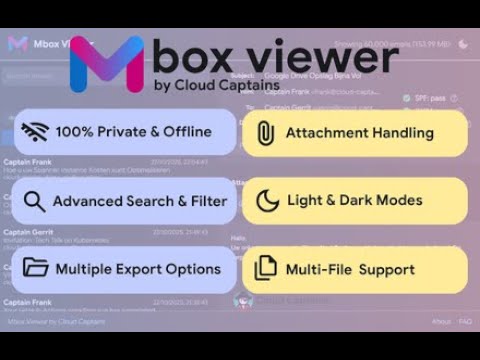
Mbox Viewer by Cloud Captains is the simple, secure, and completely private solution for reading email archives. It works 100% offline, right in your browser, so your data never leaves your computer. This tool was built for people who need a fast, reliable way to view Mbox and Outlook archives without compromising on privacy. Whether you are opening a Google Takeout export, Google Vault, an old backup, a complete Outlook mailbox (PST), or running an investigation on suspicious mail, the viewer gives you instant access with no setup. All features are free, with no ads, no trackers, and no hidden costs. Why Mbox Viewer? - Truly private: your files are processed locally. We never see, store, or transmit your data. - Works completely offline: the viewer functions without an internet connection. - Fast and powerful: opens large archives and entire folders with ease. Big mailboxes are handled automatically by the built-in local database. - Simple and intuitive: drag and drop your file or folder to get started. Supported file types: - Standard email files (.eml, .emlx): open the standard message format as exported by Outlook, Thunderbird, Apple Mail or webmail. - Mailbox archives (.mbox, .mbx, .mbox.gz): Google Takeout and Google Vault exports, Thunderbird and Unix mailboxes, also when gzip-compressed. - Outlook archives (.pst, .ost) and messages (.msg): complete Outlook mailboxes including the original folder structure, single Outlook messages and winmail.dat attachments. - Maildir folders: open a whole Maildir directory, including its cur and new subfolders. - Compressed archives (.zip, .tar.gz): drop an archive that contains any of the formats above. Key features: - Open an entire folder of archives at once. - Powerful search across subject, sender, recipient and message content, with instant results while large mailboxes are scanned in the background. - Gmail-style search operators: from, to, cc, bcc, subject, has:attachment, before, after, larger, is:starred, filename and tag, plus regex mode and saved searches. - Advanced filtering by date range, source file, attachments, starred and tags. - Clean email preview with inline attachment handling and external image blocking, down to hidden trackers in CSS. - Attachment preview for images and Office files, including Excel and Word documents (.xlsx, .docx, .xls, .doc). - Emails attached to other emails (embedded Outlook messages) appear as normal attachments you can open and download. - Forensic analysis tab with SPF, DKIM and DMARC verdicts, suspicion scoring on 9 signals, SHA-256 and MD5 hashes, Received-chain and a visual email route with TLS status and timing. - Multi-select with bulk export to EML, PDF, HTML, CSV, MBOX or a password-protected case file with AES-256 encryption. - Professional, consistent PDF and HTML exports with a clear document header for every email. - Free text tags, stars, notes and saved searches, stored locally. - Tag and notes overview pages with bulk export. - Available in 12 languages. - Dark, light and system themes with high-contrast mode. - Keyboard shortcuts: j and k to navigate, Enter to open, a to select all, slash to search, s to star, t for tags, question mark for the guide. - Print friendly layout and export per email to PDF, EML or HTML. Built by Cloud Captains, a Google Workspace Partner. Learn more at https://cloud-captains.com. The full manual is at https://docs.cloud-captains.com/en/our-tools/mbox-viewer/. Questions, bugs or feedback please go to https://cloud-captains.com/mbox-viewer.

More from Cloud Captains


Details
- AddressCloud Captains
Herenstraat 10A Den Haag 2511 EA NL - TraderThis developer has identified itself as a trader per the definition from the European Union and committed to only offer products or services that comply with EU laws.
- D-U-N-S492623353