
404 Innovationz LLC

MECH Inspect AI
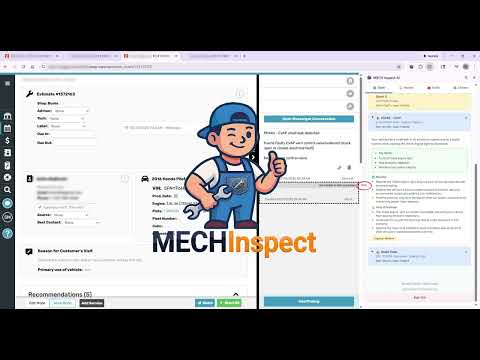
Reads work-order vehicle data from your shop management software and helps you diagnose, estimate, and document repairs with AI.
MECH Inspect AI finds what each vehicle is due for from its service history, writes the customer-ready explanation, and drops tire, brake, A/C and battery reports straight into the RO note. No more guessing what's due. No more missed work. ──────────> 🆕What’s new in 3.25.1 👉 Manufacturer bulletins (TSBs). A new drawer under Service History lists the technical service bulletins filed with NHTSA for the vehicle on the repair order: 180,000+ bulletins for model years 1996 and newer. Search by trouble code or symptom, filter by system, and open the manufacturer’s document where available. Straight from the manufacturers’ own filings, not generated by AI. 👉 Find Fixes points to bulletins that mention the trouble code you’re working on. 👉 See which store did the work. For companies with more than one location, each past visit in Service History now shows the store that did it. Visits at your store say HERE; visits at your other stores show that store’s name. 👉 Smarter history search. Type any words, in any order. “cabin filter” finds “cabin air filter”, records with every word come first, partial matches follow, and the matching words are highlighted. 👉 Battery location on the vehicle card. For many popular vehicles, see where the 12-volt battery is (Hood, Trunk, Cargo or Cabin). Tap the info icon for the exact spot, the battery type and whether the new battery must be registered. Gas and hybrid versions are told apart. 👉 Vehicle facts load right away. Electronic park brake and battery details show as soon as the vehicle is found. 👉 No more carry-over between vehicles. A new repair order never shows the previous vehicle’s engine or transmission, and electric vehicles are never recommended engine services like oil changes or spark plugs. 👉 Polish buttons always appear on every new note. 👉 Cleaner panel: Recalls and Last known fold away, Copy All is now Copy Summary, Ask the Customer can be closed, and the toolbar sign-in has a show-password button. 👉 Clearer sign-in messages when a shop has been closed by its company admin or still needs a card on file. 3.24.0 👉 Two-factor sign-in: accounts with two-factor now enter the 6-digit code from their authenticator app in the side panel and popup. 👉 Plan Job is now Estimate Job, and the Diag tab reads Diag/Est. 👉 A shorter Battery, Starter & Charging form; extra readings sit under More readings. 👉 Service History names your sister stores, so your work and another location's are easy to tell apart. 👉 Photo Library is grouped into drawers with counts and one search box. 👉 Quick Templates: share a template with your team, copy a team template to make your own, and switch any team's templates off in //. 👉 Clearer first steps for new techs, and a sign-in screen that points invited techs to their email link. 👉 Fixes: the first lookup of the morning, the Service History card after switching Chrome profiles, and sharper icons. ──────────> 📋 SERVICE HISTORY & RECOMMENDATIONS MECH Inspect reads the vehicle's service history and compares it to the manufacturer's maintenance schedule. One tap shows what's overdue, what was never done, and what's coming up, ranked by urgency, with the date and mileage your shop last did each service. Recommendations are checked against a per-vehicle equipment database (drivetrain, timing belt or chain, power steering type, MAF and more), so it never suggests a service the vehicle can't have. Customer value at a glance: visits, lifetime spend, average RO and days since the last visit. 🛞 TIRE, 🛑 BRAKE, ❄️ A/C & 🔋 BATTERY REPORTS Tap each corner, enter what you measured, and Send to Ticket attaches a color-coded report image to the RO note with a shop-voiced recommendation. • Tires: tread depth and wear patterns, axle-paired replacement recs, alignment added when wear calls for it • Brakes: disc or drum, /32 or mm, pad, rotor and caliper conditions, pads and rotors paired, brake flush added after replacement • A/C: target pressures for the ambient temperature, likely cause from your gauge readings, and a report of what was found and done • Battery, starter and charging: graded results from the readings you take A trackable video link for each recommended service drops into the note, so you can see whether the customer watched. 🔧 DIAGNOSTICS & ESTIMATES Enter a DTC or describe the symptom for a plain-English definition, severity, likely causes for that vehicle, step-by-step tests and safety warnings. Estimate Job gives labor hours, parts typically needed and related work to offer. TSB and recall lookup from NHTSA on the Reports tab. 💼 TOOLS THAT HELP CLOSE THE SALE • Polish: turns shorthand into a clear, professional note, keeping your measurements exactly as written • Advisor Sell: a step-by-step sell sheet for every service the tech recommended, with talking points, benefits and the risk of waiting • Advisor Findings: every multi-point finding combined into one customer-ready summary • Quick Templates: type // in a note field to insert your saved wording, with customer and vehicle details filled in • Scan reports to RO notes from a scan-tool PDF or a photo of the screen • Photo markup right on the RO photo, and a shared library of note templates, photos and videos 🏢 BUILT FOR SHOPS Runs as a Chrome side panel next to your browser-based shop software and picks up the VIN, vehicle, mileage and RO number on its own. Every tech and advisor has their own login. Owners get a dashboard with usage, video engagement and team activity, plus an optional monthly leaderboard. 🔒 PRIVACY • No customer contact information stored (names, addresses, phone numbers, email) • Only vehicle and repair-order data your shop already owns • Encrypted connections • Cached vehicle data expires after 48 hours; vehicle history from third-party providers is deleted within 24 hours Get started at MECHinspect.ai ────────── TRADEMARK NOTICE & DISCLAIMERS MECH Inspect is an independent product of 404 Innovationz LLC. We are not affiliated with, sponsored by, endorsed by, or partnered with any third-party shop management software, vehicle manufacturer, OEM, or government agency referenced in this listing or in the extension. All trademarks, brand names, and logos are the property of their respective owners and are used for identification and interoperability only. Maintenance recommendations come from manufacturer schedules and fixed rules; diagnostic suggestions and written text are produced by AI. Both assist, and do not replace, the judgment of a qualified technician.

Details
- Address404 Innovationz LLC
9230 Old Keene Mill Rd #1004 Burke, VA 22015-4201 US - TraderThis developer has identified itself as a trader per the definition from the European Union and committed to only offer products or services that comply with EU laws.
- D-U-N-S142465333