
정의영

Mos Tab — Tab & Bookmark Manager, New Tab Dashboard
3 ratings
)Save, organize & sync tabs and bookmarks on a new tab dashboard — spaces, widgets & AI. A private, local-first tab manager.
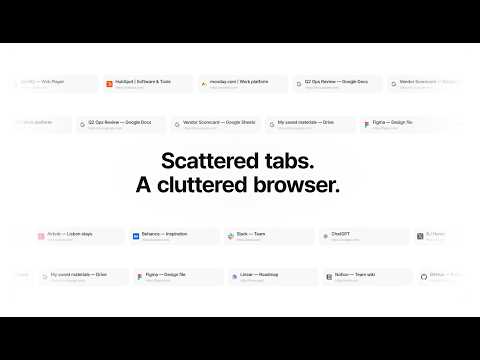
The calmest way to save, organize, and find every tab. Drowning in open tabs? Mos Tab turns your new tab into a beautiful, organized dashboard — part tab manager, part bookmark manager, part start page. Save what matters, clear the clutter, and find anything in a keystroke. No sign-up. Start free with unlimited saved tabs — your data stays on your device. ------------------------------------------------------------ KEY FEATURES 🗂 Spaces → Collections → Sections Organize tabs and bookmarks into a clean hierarchy that matches how you think — separate spaces for Work, Personal, Research, and more. 👆 One-click save A live panel shows every open tab. Click to file each where it belongs and clear the clutter from your window. ↗ Open as a group Reopen a whole collection at once as a Chrome tab group — pick up a project exactly where you left off. 🔎 Instant search Jump to any saved or open tab in a keystroke. Type, hit enter, you're there. 🧩 Built-in widgets — all free Calendar, pomodoro timer, to-dos, and sticky notes, right on your new tab. 🔒 Local-first & private Everything works offline with no account. Your tabs live on your device, not someone else's server. ☁️ Cloud sync across devices (Pro) Edit on your laptop, pick up on your desktop — automatic and conflict-safe. 🔗 Public sharing (Pro) Share any space as a clean, read-only link. ✨ AI connect · MCP (Pro) Connect Claude, ChatGPT, or any MCP assistant to your saved tabs, notes, and to-dos — search, summarize, and even save new finds into a fresh space, right from your chat. ♾ Unlimited on Pro No caps on spaces, sections, or tabs — plus automatic local backups. 📥 Import bookmarks & data (free) Import your existing browser bookmarks in one click — folders become collections. Plus full import/export to back up or move your dashboard anytime. 🌙 Dark mode & keyboard shortcuts A calm dark theme and shortcuts to fly through everything. ------------------------------------------------------------ MOS TAB IS FOR • Anyone with too many tabs open • Researchers juggling topics across dozens of tabs • Developers & designers organizing tools and references • Students collecting study material • Teams sharing curated link collections (Pro) ------------------------------------------------------------ PRIVATE BY DESIGN 1. Local-first — your dashboard works fully offline, no account required. 2. You choose the cloud — sync is an optional Pro add-on, never forced. 3. We never sell your data. ------------------------------------------------------------ QUICK START • Install Mos Tab (it becomes your new tab page) • Pin the popup to save tabs from any site • Drag open tabs into collections — done! Prefer to keep your browser's default new tab? Set a redirect URL in settings — Mos Tab still works from the popup. ------------------------------------------------------------ Free forever for local use, with unlimited saved tabs. Pro unlocks cloud sync, sharing, and AI. mos-tab.com

Details
- Address정의영
인천광역시 연수구 송도1동 송도과학로27번길 55 103동 3404호 연수구, 인천광역시 21982 KR - TraderThis developer has identified itself as a trader per the definition from the European Union and committed to only offer products or services that comply with EU laws.