


Overview
간편한 프록시 설정 및 관리 플러그인
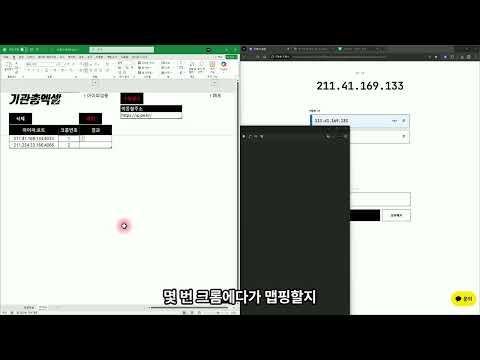
크롬 IP 를 프록시로 눌러서 바꾸기. 무료입니다. ■ 이렇게 씁니다 1. 아이콘 → [설정] → IP:포트 를 여러 줄 넣고 [추가] 2. 목록에서 IP 를 누르면 그 IP 로 연결, 다시 누르면 끄기 3. 아이콘 창 ON / OFF 로도 켜고 끄기 ■ 크롬마다 다른 IP 프록시는 크롬 프로필마다 따로 켜집니다. 프로필을 나눠 두면 계정마다 다른 IP 로 쓸 수 있습니다. ■ 편하게 관리 · IP 마다 별명 붙이기 ("1번 계정용") · 지금 연결된 IP 를 눌러 진짜 바뀌었는지 바로 확인 · 크롬을 다시 켜도, 확장이 업데이트돼도 켜 둔 IP 가 그대로 ※ HTTP 프록시만 됩니다. 아이디·비밀번호를 넣는 프록시는 안 됩니다. ■ 사용법 (그림으로 보기) https://mgunexcel.gitbook.io/doc/ext/proxy ■ 문의 http://pf.kakao.com/_xgvbMK/chat
5 out of 52 ratings
Details
- Version1.0.7
- UpdatedOctober 14, 2026
- Size1.78MiB
- Languages한국어
- DeveloperWebsite
Email
support@mgunexcel.com - Non-traderThis developer has not identified itself as a trader. For consumers in the European Union, please note that consumer rights do not apply to contracts between you and this developer.
Privacy

Manage extensions and learn how they're being used in your organization
The developer has disclosed that it will not collect or use your data. To learn more, see the developer’s privacy policy.
This developer declares that your data is
- Not being sold to third parties, outside of the approved use cases
- Not being used or transferred for purposes that are unrelated to the item's core functionality
- Not being used or transferred to determine creditworthiness or for lending purposes
Support
For help with questions, suggestions, or problems, please open this page on your desktop browser