

Overview
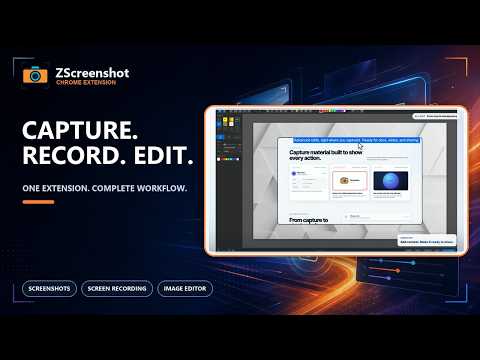
Screenshot, screen recording, and image editing tool. Capture pages, record tabs with audio, and edit with advanced tools.
Screenshots, screen recording, and image editing—all in one extension. Lightweight, fast, and designed with privacy in mind. ━━━━━━━━━━━━━━━━━━ 🆓 Free Features ━━━━━━━━━━━━━━━━━━ 📸 Screenshots • Visible area capture (viewport) • Full page capture (with scrolling) 🎬 Screen Recording • Tab recording • Audio capture support • Auto-detection of video elements 📐 Custom Viewport • No impact on screen size even with sidebar open • Consistent quality capture at specified dimensions 📁 Multiple Format Support • PNG, JPEG, WebM formats 🔒 Privacy-Focused • All processing done locally except authentication • No data sent externally 🌐 Multi-Language Support • 10 languages including Japanese and English ━━━━━━━━━━━━━━━━━━ ⭐ Pro Features (14-Day Free Trial) ━━━━━━━━━━━━━━━━━━ ✏️ Advanced Image Editor • Select & Pan • Crop, Rotate & Flip • Drawing (Pen, Line, Arrow, Rectangle, Ellipse) • Text, Emoji & Blur • Background Fill & Eraser • Undo/Redo & Delete 📚 Collection Feature • Combine multiple images into one • Easily create comparison or summary images 💾 Batch Download • Download all saved images from history at once 🎥 MP4 Format Export • Export recordings in MP4 format • High compatibility for easy sharing
5 out of 51 rating
Details
- Version1.0.8
- UpdatedOctober 6, 2026
- FeaturesOffers in-app purchases
- Size558KiB
- Languages10 languages
- DeveloperWebsite
Email
support@ebot.jp - Non-traderThis developer has not identified itself as a trader. For consumers in the European Union, please note that consumer rights do not apply to contracts between you and this developer.
Privacy

ZScreenshot has disclosed the following information regarding the collection and usage of your data. More detailed information can be found in the developer's privacy policy.
ZScreenshot handles the following:
This developer declares that your data is
- Not being sold to third parties, outside of the approved use cases
- Not being used or transferred for purposes that are unrelated to the item's core functionality
- Not being used or transferred to determine creditworthiness or for lending purposes
Support
For help with questions, suggestions, or problems, visit the developer's support site