


Overview
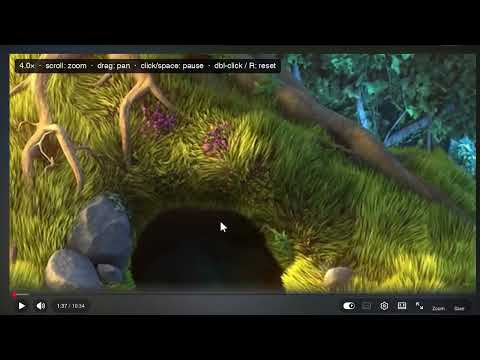
Zoom into any HTML5 video on any site: scroll to zoom at cursor, drag to pan, double-click to reset.
Ever wished you could look closer at a video? Zoom Any Video lets you magnify any HTML5 video - up to 10x - right where your cursor points, pan around while it plays, and save a screenshot of exactly what you're seeing at the video's full source resolution. HOW IT WORKS - Click the Zoom button (in the YouTube player bar, or the magnifier that appears when you hover any video) - or press Z - Scroll to zoom, centered on your cursor - Drag to pan while the video keeps playing - Click or Space to pause, double-click or R to reset, Esc to exit - Press S (or Ctrl+P, or the Save button) to save a screenshot - if you're zoomed, it captures just that region, cropped from the source-resolution frame, downloaded as PNG and copied to your clipboard WORKS EVERYWHERE YouTube gets native-looking Zoom and Save buttons in the player controls. Every other site gets floating buttons on hover. Embedded players (iframes) work too. PRIVACY Everything runs locally in your browser. No data is collected, no network requests are made, no analytics. (DRM-protected streams cannot be captured - that's a browser restriction.)
0 out of 5No ratings
Details
- Version1.1.0
- UpdatedAugust 2, 2026
- Size10.18KiB
- LanguagesEnglish
- DeveloperDEEMWAR MONADS & ABSTRACTIONSWebsite
96,seventh street,abirami nagar, Maduravoyal Chennai, Tamil Nadu 600107 INEmail
admin@deemwar.comPhone
+91 96291 50400 - TraderThis developer has identified itself as a trader per the definition from the European Union and committed to only offer products or services that comply with EU laws.
- D-U-N-S645939291
Privacy

This developer declares that your data is
- Not being sold to third parties, outside of the approved use cases
- Not being used or transferred for purposes that are unrelated to the item's core functionality
- Not being used or transferred to determine creditworthiness or for lending purposes
Support
For help with questions, suggestions, or problems, visit the developer's support site