


Overview
Get Real-Time Trading Signals on Your Broker's Chart with this Trading Extension.
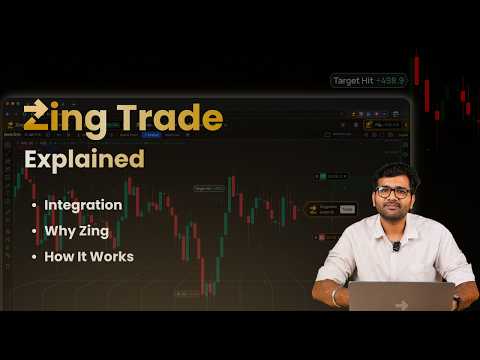
Zing Trade makes your broker's charts smarter with expert-backed signals and one-tap execution, directly on the chart. Bring more structure to your trading across Indian F&O, cryptocurrencies and US stocks. Zing is a trading extension for Chrome that brings pre-built, backtested trading strategies directly to supported brokers and market charts. When predefined conditions are met, it shows a structured setup with a recommended Entry, Target Price and Stop-Loss so you can review the opportunity and the potential risk before deciding what to do next. You can exit any position at any point before the Target Price or Stop-Loss is met. You continue using your existing supported broker or trading account. Zing does not hold your funds and does not place orders automatically. You keep control: review the structured setup, modify eligible details if required, and confirm the order yourself. No coding. No complicated algorithms. No separate terminal. Browse. Apply. Review. Execute. WHY USE ZING? Many traders rely on isolated indicators, basic chart alerts, social-media tips or instinct. That can mean entering a position without a clear target, a defined stop-loss, or evidence that the underlying approach has been tested on historical data. Zing brings a rule-based process to that workflow. Instead of reacting to every price move, you can apply a defined methodology and wait until its conditions are met. When that happens, Zing notifies you with the position to consider — long or short — along with exact Entry, Target and Stop-Loss levels, directly on your chart. Whether you follow Indian derivatives, crypto or US-listed stocks, the instruments and trading hours differ, but every trader still needs a clear reason to enter, a defined exit plan, and an understanding of the potential risk. HOW ZING TRADE WORKS 1. ADD ZING TO CHROME Install the extension and pin it to your browser toolbar. Turn on notifications so you don't miss a real-time signal or update. Zing works as an overlay on supported broker and market charts, so you can access setups and strategy information without switching screens or moving to a separate terminal. 2. CONNECT YOUR ACCOUNT Connect Zing to a supported broker or market account. The current list of supported providers is shown inside the extension and on our website, and it grows as new integrations are added. You do not need to transfer funds to Zing. Your money and securities remain with your connected provider, and eligible orders are routed through that account. The markets, instruments and execution features available to you may depend on your connected provider, account type, location and applicable regulations. 3. SELECT YOUR MARKET Choose the market you want to explore. Zing provides access to supported setups across: • Indian Futures and Options • Cryptocurrencies • US stocks Each market has different instruments, hours, volatility, liquidity and risk considerations. Availability can vary between integrations, and not every approach is available for every market. 4. EXPLORE THE STRATEGY MARKETPLACE Browse a marketplace of pre-built strategies covering a range of trading styles, from intraday and swing approaches to breakout, momentum and mean-reversion methods. For each one, review the explanation, applicable market, preferred instruments, and historical or backtested performance metrics where displayed. Strategies may be created and tested by Zing's in-house quantitative team or by third-party creators. Performance data is audited only where this is specifically indicated. Historical or backtested results do not guarantee similar outcomes in live conditions. 5. APPLY A STRATEGY Choose a strategy suited to your selected market and apply it directly to a supported chart. Zing then analyses live price action according to the strategy's predefined rules. Where supported, you can apply more than one strategy at the same time to compare different methods or monitor potential setups across instruments. Applying a strategy does not create an order. Zing keeps monitoring until the defined conditions are satisfied. 6. RECEIVE REAL-TIME SIGNALS When market conditions are met, Zing generates a structured setup that can include: • Suggested position and instrument • Recommended Entry price • Pre-calculated Target Price • Pre-calculated Stop-Loss • Relevant setup details where available This gives you more context than a basic price or indicator alert. A signal is not a promise of profit, a guarantee of execution, or a substitute for your own judgement. 7. REVIEW AND CONFIRM Review the full setup before placing an order. You can verify the market, instrument, quantity, Entry, Target and Stop-Loss, and modify eligible details if required. Also consider liquidity, volatility, spreads, available margin, costs, and the amount of capital you are prepared to risk. When you are ready, confirm the order. Where supported, it is transmitted to your connected provider for execution. Nothing executes without your confirmation. Zing is a signal and execution-assist platform, not an auto-trading bot. 8. TRACK POSITIONS AND SIGNALS Track active setups, open positions, orders and returns through a single panel where supported. Stay informed without repeatedly switching between charts, order windows and browser tabs. Depending on the connected platform, you may also be able to modify an order, exit a position, or disconnect your account at any time. MARKETS COVERED BY ZING INDIAN F&O Zing supports eligible equity futures and options listed on the NSE and BSE, including supported contracts linked to Nifty, Bank Nifty, Sensex, mid-cap indices, equity derivatives, and weekly or monthly expiries. For users focused on derivatives, this brings a more structured setup to each trade. Anyone using leveraged derivatives should understand calls, puts, strike prices, expiry dates, lot sizes, margin requirements and the risks involved. CRYPTOCURRENCIES You can trade eligible cryptocurrency markets through available integrations. Apply a supported crypto strategy and let Zing analyse live price action against its predefined conditions. Supported assets, pairs, order types and execution capabilities depend on the connected platform. Crypto can experience sharp price moves and significant differences in liquidity, so review position size, fees and potential downside before acting. US STOCKS Zing also supports eligible US-listed stocks. Browse available strategies, apply one to a supported chart, and monitor for qualifying setups. Market access, hours, fractional-share availability, order types and execution capabilities may depend on your connected provider and account eligibility. Currency conversion, liquidity, earnings announcements and market timing can also affect your decision. KEY FEATURES REAL-TIME TRADING SIGNALS Receive rule-based setups when predefined conditions are met across supported Indian derivatives, crypto and US stocks. ENTRY, TARGET AND STOP-LOSS Review a complete setup before deciding whether to proceed. These levels define the structure of a position, but they do not remove market risk or guarantee an outcome. PRE-BUILT STRATEGY ACCESS Explore ready-to-apply strategies without coding or building your own algorithmic system. BACKTESTED INFORMATION Review historical performance data where available before applying a strategy. Audited performance is identified only where specifically stated. STREAMLINED EXECUTION Where supported, confirm an eligible order through your connected provider without manually copying details between platforms. MULTIPLE STRATEGIES Monitor more than one strategy at the same time where supported, and compare different ways of reading the market. LIVE POSITION TRACKING View available setups, open positions, orders and returns from one organised panel. MANUAL CONTROL Review, modify or reject every setup. You remain responsible for each decision and the amount of capital you choose to risk. USE YOUR EXISTING ACCOUNT Connect a supported provider without transferring funds to Zing. Your assets remain with that provider, subject to its terms and account conditions. WHO IS ZING BUILT FOR? Zing is built for self-directed users who already understand the basics of the markets and instruments they choose to access. It may be useful if you want a more structured process, defined Entry, Target and Stop-Loss levels, access to pre-built strategy ideas, real-time setup alerts on supported charts, and a simpler way to move from review to execution while retaining final control. Zing is not designed to teach complete beginners how financial markets work. Users should understand the fundamentals and risks of the relevant market before acting on any setup. IMPORTANT Zing does not place orders independently. Every eligible execution requires your confirmation and is sent through your own connected provider. Backtested or historical results do not guarantee future performance. Market conditions can change, and losses are possible. Supported providers, platforms and market availability may change as regulations and integrations change. ₹ Zing is an independent product and is not affiliated with or endorsed by any broker or exchange. Add Zing to Chrome and bring a more structured, rule-based workflow directly to your charts.
4.9 out of 5296 ratings
Details
- Version1.2.17
- UpdatedOctober 21, 2026
- Size3.5MiB
- LanguagesEnglish
- DeveloperBitkuber Investments Private LimitedWebsite
Infinity, Electro Block, 1st Floor, Wing A, Exora Business Park Prestige Tech Park II Bellandur Bangalore, Karnataka 560037 INEmail
it-licenses@coinswitch.co - Non-traderThis developer has not identified itself as a trader. For consumers in the European Union, please note that consumer rights do not apply to contracts between you and this developer.
Privacy

This developer declares that your data is
- Not being sold to third parties, outside of the approved use cases
- Not being used or transferred for purposes that are unrelated to the item's core functionality
- Not being used or transferred to determine creditworthiness or for lending purposes
Support
For help with questions, suggestions, or problems, please open this page on your desktop browser