


總覽
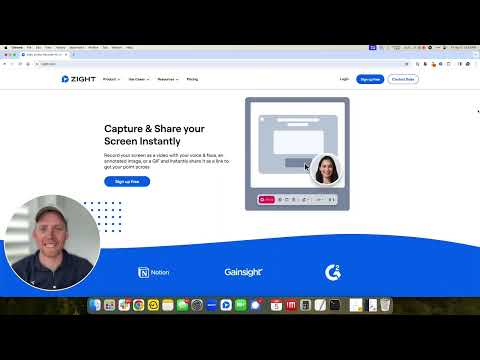
The best screen recorder for Chrome. Capture your screen, webcam, and instantly share videos and screenshots in seconds.
The Ultimate Screen Recorder, Screenshot Tool, and GIF Maker for Chrome Capture your screen, webcam, annotate, and instantly share videos and screenshots in seconds. 🚀 Top 10 Reasons to Choose Zight: 1️⃣ Trusted by Over 5 Million Users Worldwide 🌍 2️⃣ Screen Recording and Screenshot Capture All-in-One 📷🎥 3️⃣ Instant Sharing with Shortlink URLs 🔗 4️⃣ Annotate Screenshots and Recordings Easily ✏️ 5️⃣ Capture Screen, Voice, and Webcam Together 🎤📹 6️⃣ Integrates Seamlessly with Your Favorite Apps 🤝 7️⃣ High-Quality HD Video Recording 🖥️ 8️⃣ Secure Sharing with Public or Private Links 🔒 9️⃣ Boost Productivity with Visual Communication ⚡ 🔟 Fast, Easy to Use, and No Ads 😊 Features: 🎥 Screen Recording • Capture your screen, webcam, and microphone at the same time • Record your desktop, a specific window, or just your webcam • Automatically upload and generate a shareable link when done • Share directly into Slack, Gmail, Jira, Asana, and other tools • Trim and edit recordings as needed 📸 Screenshot Capture • Capture Screenshots • Capture your entire screen or select specific areas. • Annotate Screenshots • Add text, arrows, lines, shapes, and emojis. • Highlight important parts or blur sensitive information. • Resize or crop screenshots as needed. • Save & Share • Instantly share with a shortlink URL. • Copy screenshots directly for quick pasting. ✏️ Annotation Tools • Add markups to screenshots and recordings • Use arrows, lines, shapes, text, or freehand drawing • Customize colors and callouts to communicate clearly and quickly ✨ Request Video • Generate a unique Request Video link • Anyone can record a video for you without installing anything or creating an account • You can reuse or expire the link at any time • Request Logs mode automatically captures browser console logs, network requests, and device info • Ideal for bug reporting, QA, customer support, and product feedback • Every submission is delivered as a video plus technical logs for complete developer-ready context 🌐 Instant Sharing • Share with a simple URL • Paste links into Slack, Gmail, Jira, Notion, and countless tools • Control privacy with public, private, and password-protected settings • Rich previews in email and collaboration apps, like Gmail • Embed files in blogs, docs, help centers, and more 🏃♂️Helpful Shortcuts • Alt + Shift + V: Capture visible area • Alt + Shift + F: Capture full page • Alt + Shift + L: Start video recording ✨ Zight AI • Smart Actions convert videos into step-by-step guides, SOPs, FAQs, or bug reports • Automatic transcription and captioning • Smart Titles created instantly for every video • Smart Summaries to help viewers consume content quickly • Full-text search across your video library • Transcribe in 50-plus languages • Smart Chapters for structured navigation and fast insight extraction Get Started for Free Sign up with no credit card required. Free and paid plans available. Zight for Teams, Business, and Enterprise • Single Sign-On • Custom branding on all download and share pages • Use your own custom domain • Advanced security controls • Embed anywhere across your knowledge base, docs, or product Learn more at: https://www.zight.com/enterprise/ Connect With Us: • X: @zightapp • LinkedIn: Zight • Website: zight.com
4.5 分 (滿分 5 分)510 個評分
詳細資料
隱私權

「Zight Screen Recorder, Screenshot App」已揭露下列關於收集及使用資料的資訊。 如需更多詳細資訊,請參閱開發人員的《privacy policy》。
Zight Screen Recorder, Screenshot App 會處理下列資料:
這位開發者就你的資料做出下列聲明:
- 除經核准的用途外,不會將你的資料販售給第三方
- 不會基於與商品核心功能無關的目的,使用或轉移資料
- 不會為了確認信用度或基於貸款目的,使用或轉移資料
支援
如有疑問或建議,請使用電腦版瀏覽器開啟這個頁面