


Overview
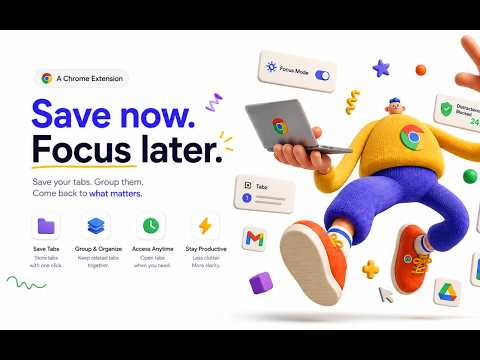
Save every tab in one click. Restore sessions with tab groups and pinned tabs intact — on any device.
Save 40 tabs in one click. Restore them tomorrow with their tab groups, colors, pinned tabs, and window layout exactly as you left them — on your laptop, your desktop, or both. Zen Tabz is a free tab manager and session saver for Chrome. One click turns a cluttered window into a named session you can close, search, and reopen later. Most tab managers hand your tabs back as a flat list of links. Zen Tabz rebuilds the window you actually had: the same windows, the same pin order, the same named and colored groups. WHO IT'S FOR • Research and study — keep one session per topic (papers, sources, open questions) and close the window when you stop for the day. • Client and project work — one session per client, sprint, or class. Reopen Monday exactly where Friday ended instead of rebuilding context. • Crash recovery — Zen Tabz snapshots your open windows as you browse and offers them back when Chrome closes unexpectedly. WHAT YOU CAN DO Save • Save the current window, or every window at once, in one click. • Name the session after the work, not the date ("Q4 pricing", "Thesis ch. 3"). • Keep everything local. Nothing leaves your browser unless you turn on sync. Restore • Reopen a session with each saved window in its own browser window. • Tab groups come back with their names and colors intact. • Pinned tabs come back pinned, in the same order. • Restore as many sessions as you like. Nothing open is overwritten. Find • Search every saved session by name, tab title, or URL. • See how many tabs and windows a session holds before you restore it. • Rename, duplicate, and delete sessions in the manager. Back up and move • Export all sessions to a JSON file you own. • Import from OneTab, Session Buddy, Toby, or Tab Session Manager in one step. • Sessions survive extension updates; export a backup before uninstalling. Sync (optional) • Sign in with Google to open the same sessions on every computer. • Local-first: your browser holds the master copy, and sync only replicates it. • Sign out whenever you like. Everything stays on the device. HOW IT WORKS 1. Click the Zen Tabz icon. 2. Choose Save Current Window or Save All Windows. 3. Close the tabs. Reopen the session whenever you need it. PRIVACY By default your sessions live in your own browser and never leave it. If you sign in, Zen Tabz uploads session names, tab titles, and URLs to your account so they can appear on your other computers. It does not read page content, does not sell or share your data, and does not use it for advertising. FREE, NO ACCOUNT REQUIRED Google sign-in is only for sync. Saving, restoring, searching, exporting, and importing are free and work offline. Questions, bugs, or a tab manager you want to import from? Email info@zen-tabz.com.
0 out of 5No ratings
Details
- Version1.2.2
- UpdatedOctober 30, 2026
- Size161KiB
- LanguagesEnglish
- DeveloperWebsite
Email
info@zen-tabz.com - Non-traderThis developer has not identified itself as a trader. For consumers in the European Union, please note that consumer rights do not apply to contracts between you and this developer.
Privacy

Zen Tabz — Tab Manager & Session Saver has disclosed the following information regarding the collection and usage of your data. More detailed information can be found in the developer's privacy policy.
Zen Tabz — Tab Manager & Session Saver handles the following:
This developer declares that your data is
- Not being sold to third parties, outside of the approved use cases
- Not being used or transferred for purposes that are unrelated to the item's core functionality
- Not being used or transferred to determine creditworthiness or for lending purposes
Support
For help with questions, suggestions, or problems, please open this page on your desktop browser