

Zelix - Private Bookmarks & Password Protected Bookmark Manager
18 ratings
)
Overview
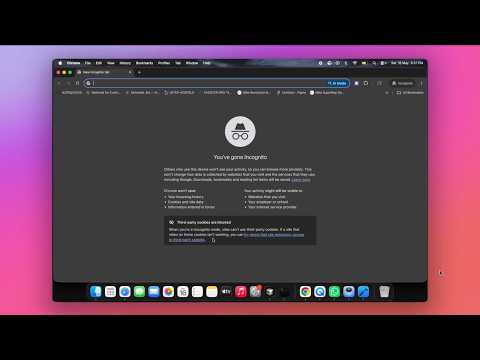
Lock and hide private bookmarks with a password. Encrypted vault that works in incognito.
Browsing incognito? Save those links behind a password with Zelix. Zelix keeps your private bookmarks hidden from anyone who uses your browser. Everything is encrypted on your device and unlocked only with your master password. Use it as a secret folder for links you don't want in Chrome's bookmarks bar, or as your everyday bookmark manager. KEY FEATURES - Bookmark vault locked with one master password - Encrypted on your device, so nobody else can read your saved links - Incognito support: save links directly from a private window - Save all open tabs in one click, or press Ctrl+Shift+F - Open all links in a folder at once - Drag and drop to organize everything into folders - Encrypted backup and restore, so you never lose anything - Import bookmarks from Chrome, Edge and other browsers - Export to a standard HTML file that any browser can import - Use it as a popup or in the side panel PRIVACY FIRST Zero data collection. No account. No servers. Your data never leaves your browser, and only you can unlock it. FREQUENTLY ASKED QUESTIONS How do I hide bookmarks in Chrome? Save them in Zelix instead of the bookmarks bar. They stay locked behind your master password, so other people using your browser can't see them. Can I password protect my existing Chrome bookmarks? Yes. Import them into Zelix and they'll be locked in your vault. You can then delete the originals from Chrome. How do I use Zelix in incognito mode? Open the Chrome menu (⋮) → Extensions → Manage Extensions → find Zelix → Details → turn on "Allow in Incognito". Where is my data stored? Only on your device, in encrypted form. Zelix has no servers and never uploads anything. Can I move my bookmarks to another browser? Yes. Export them as an HTML file, then import that file into Chrome, Firefox, Edge or any other browser.
4.6 out of 518 ratings
Details
- Version0.0.328
- UpdatedOctober 13, 2026
- Offered byMano W
- Size679KiB
- Languages11 languages
- Developer
Email
mano.26q@gmail.com - Non-traderThis developer has not identified itself as a trader. For consumers in the European Union, please note that consumer rights do not apply to contracts between you and this developer.
Privacy

This developer declares that your data is
- Not being sold to third parties, outside of the approved use cases
- Not being used or transferred for purposes that are unrelated to the item's core functionality
- Not being used or transferred to determine creditworthiness or for lending purposes
Support
For help with questions, suggestions, or problems, please open this page on your desktop browser