


概要
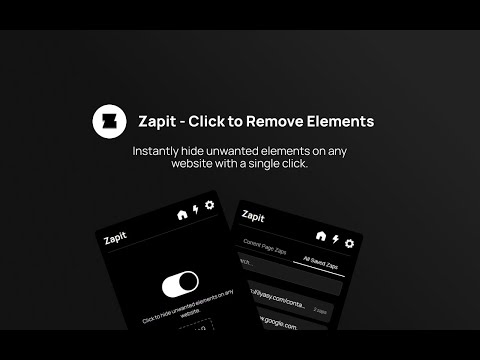
Instantly hide unwanted elements on any website with a single click. Clean up your browsing experience!
Release Notes - Zapit Click to Remove Element - Version 2.1 ➡️Enable Zapping Button is now a Toggle ➡️New and Improved UI ➡️Open Zapit with Shortcut (CTRL+Q) Can be customized in settings ➡️Import and Export Zaps moved to settings ( ⚙️in Header ) ➡️Zaps for Current Website and All Saved Zaps Moved to Zaps (⚡in Header ) Section Release Notes - Version 2.0 🚀 Major Upgrades & New Features! 🔥 New "Zap" Feature ✔️The "Hide Elements" feature is now called "Zap" ✔️Click on any element to Zap (hide) it instantly. 💾 Zaps Now Persist Across Sessions ✔️No need to zap the same elements repeatedly – now you can permanently delete things from a website! ✔️No need to zap the same elements repeatedly! 📂 Import & Export Zaps ✔️Save your zapped elements and transfer them between devices. ✔️Easily back up your custom browsing experience with the Element Killer Extension. 👀 New Zap Management Sections ✔️"Saved Zaps for Current Website" – See a list of all elements you've zapped on the website you're currently viewing. ✔️"All Saved Zaps" – View every zap you've created across different websites in one place. 🗑️ Easily Manage & Delete Zaps ✔️Remove any zaps you no longer need with just a click. ✔️Keep your zap list clean and organized. Zapit - Click to Remove Elements is a powerful Chrome extension that allows you to permanently delete things from a website with ease. Whether you want to clean up clutter, hide ads, or customize your browsing experience, ZapIt makes it simple. With Zap Mode, you can instantly select and remove YouTube HTML elements, annoying ads, or any unwanted content. Plus, your changes persist—even after refreshing or reopening your browser—making ZapIt the ultimate Element Killer Extension for a distraction-free web. Key Features: ✔️ Zap Mode – Click to instantly remove elements from any webpage ✔️ Persistent Zaps – Your changes stay even after reloading or reopening the browser ✔️ Import/Export Zaps – Easily back up and transfer your custom settings ✔️ Manage Your Zaps – View all zaps for the current website or across all websites ✔️ Delete Zaps Anytime – Easily undo or remove saved zaps when needed ✔️ Lightweight and easy to use with no complex settings
5 点満点で 3.511 件の評価
詳細
プライバシー

このデベロッパーは、お客様のデータについて以下を宣言しています
- 承認されている以外の用途で第三者に販売しないこと
- アイテムの中心機能と関係のない目的で使用または転送しないこと
- 信用力を判断する目的または融資目的で使用または転送しないこと
サポート
質問や提案、問題がある場合は、パソコンのブラウザでこのページを開いてください