

Zap

Overview
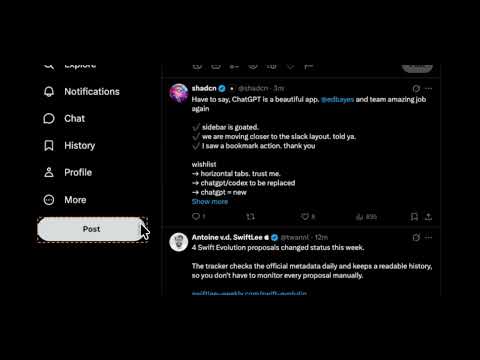
Boost any page: zap intrusive elements, recolor, swap fonts, or edit fixed text, all saved per-site.
Make websites work your way with Zap. Remove distracting elements, customize colors and fonts, or change fixed text on a webpage. Your changes are saved per site and automatically applied when you return. • Zap: Hide unwanted elements with a click. Shift-click to hide something for the current visit only. • Recolor: Change text and background colors for an element or the whole page. • Font: Choose a font preset or enter your own font stack. • Text: Replace simple headings and labels in your browser. • Stay in control: Undo your latest change or restore saved changes individually or by site. • Manage your boosts: Search, filter, export, and import saved customizations. To get started, open a website, click Zap, and select Boost mode. Choose a tool, hover over an element, and click to customize it. Your boosts are stored locally in your browser. Zap makes no network requests. Zap works on regular HTTP and HTTPS webpages. Chrome’s protected pages, including the Chrome Web Store, cannot be customized.
0 out of 5No ratings
Details
- Version0.1.1
- UpdatedOctober 15, 2026
- Size28.5KiB
- LanguagesEnglish
- Developer
Email
parshva@thefourseas.dev - Non-traderThis developer has not identified itself as a trader. For consumers in the European Union, please note that consumer rights do not apply to contracts between you and this developer.
Privacy

This developer declares that your data is
- Not being sold to third parties, outside of the approved use cases
- Not being used or transferred for purposes that are unrelated to the item's core functionality
- Not being used or transferred to determine creditworthiness or for lending purposes