


Overview
Hover any word to see its translation. Fully offline. EN ↔ AR.
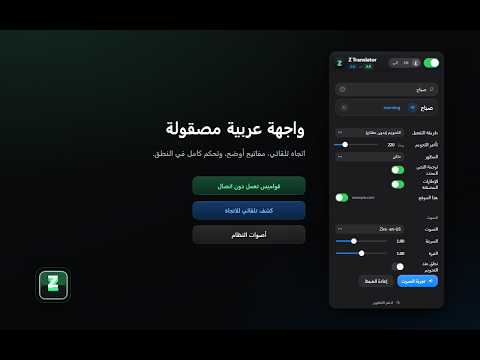
Z Translator turns hovering into instant offline translation. Hover any English or Arabic word on any webpage and a compact tooltip appears beside it with the translation in the other language. Select a whole phrase or sentence and it is translated in place. Click the speaker icon, or enable speak-on-hover, to hear the text read aloud using your browser and operating system voices. ‣ Truly offline: translation never leaves your device. The dictionary ships with the extension as local JSON files; nothing is uploaded, queried, or transmitted. ‣ Real sentence translation, still private: on Chrome 138+, selected phrases and sentences use Chrome's built-in on-device translation model, the language pack is downloaded once by Chrome, then everything runs locally. Where the model isn't available, a clearly labeled word-by-word gloss is shown instead, so you always know exactly what you're reading. ‣ Bidirectional auto-detect: no direction switch needed. Hover an English word to see Arabic; hover an Arabic word to see English. ‣ 87,000+ entries: built from FreeDict eng-ara and ara-eng dictionary data, with license information and source links provided, plus a curated supplement for common Arabic words. ‣ Saudi & Gulf dialect aware: everyday colloquial words are covered alongside Modern Standard Arabic. ‣ Smarter word handling: supports suffixes, contractions, hyphenated words, proper names, numbers, percentages, and currency values. ‣ Arabic-aware lookup: handles common Arabic prefixes, pronoun suffixes, tanween forms, hollow and defective verbs, diacritics, and alef/ya variants. ‣ Native voices: uses the browser Web Speech API. On Windows this can include voices such as Microsoft David, Zira, Mark, and Naayf; on macOS this can include Samantha, Alex, Daniel, and other installed voices. Your chosen voice is remembered separately for each computer and synced with your Chrome profile. Voices marked with ☁ may require an internet connection; local voices stay offline. ‣ You're in control: turn the extension off for any site from the popup, toggle selection translate and embedded frames, and revisit recent lookups with one tap. A copy button puts any translation on your clipboard. ‣ Designed with care: light and dark themes, the popup supports English and Arabic UI, and trigger options include Hover, Alt / Option, Ctrl / Cmd, and Shift. ‣ Privacy-respecting by design: no tracking, no analytics, no telemetry, no cookies, no fingerprinting, no account, and no email required. Privacy policy: https://zaidalhulaiba.com/z-translator/privacy/ ‣ Optional ☕ support: every feature is free, with no premium tier and no ads. The support button opens PayPal in a new tab. It is strictly optional. How to use: 1. Install the extension and pin it to your toolbar. 2. Visit any webpage with English or Arabic text. 3. Hover a word: the translation appears. 4. Select a phrase or sentence to translate the whole thing in place. 5. Click the speaker icon to hear pronunciation, or enable speak-on-hover. 6. Open the popup to type a word or phrase directly, switch theme, choose trigger keys, change voice settings, or override the interface language. Permissions: • "Read content of pages you visit": required so the extension can detect the word or selection your cursor is on. The extension does not extract, transmit, or store page content. • "Storage": saves your settings, such as voice, theme, hover delay, trigger mode, and language preference, on your device.
5 out of 51 rating
Details
- Version1.1.2
- UpdatedSeptember 2, 2026
- Size1.44MiB
- Languages2 languages
- DeveloperWebsite
Email
info@zaidalhulaiba.com - Non-traderThis developer has not identified itself as a trader. For consumers in the European Union, please note that consumer rights do not apply to contracts between you and this developer.
Privacy

This developer declares that your data is
- Not being sold to third parties, outside of the approved use cases
- Not being used or transferred for purposes that are unrelated to the item's core functionality
- Not being used or transferred to determine creditworthiness or for lending purposes
Support
For help with questions, suggestions, or problems, visit the developer's support site