


Overview
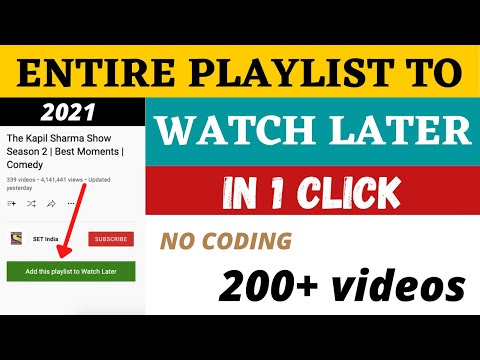
Bulk Add or Remove YouTube Watch Later and Liked Videos Automatically. Save any public playlist to Watch Later.
♦ Remove all Watch Later videos in one click. ♦ Remove all Liked videos in one click. ♦ Add a public playlist to Watch Later in one click. Important: Set your YouTube interface language to English before using the extension. ➡ Remove all Watch Later videos ♦ Open your Watch Later playlist, then click Remove all videos above the list. ♦ Or click the extension icon and choose Remove all Watch Later video. ♦ Removal runs in a new window — keep that window open and in front until it finishes. ➡ Remove all Liked videos ♦ Open your Liked videos playlist, then click Remove all videos above the list. ♦ Or click the extension icon and choose Remove all Liked video. ♦ Removal also runs in a new window — keep it open until done. How it works ➡ Add playlist to Watch Later ♦ Open a public YouTube playlist page (list or watch view). ♦ Click Add playlist to Watch Later above the video list or playlist panel. ♦ Or click the extension icon and choose Add playlist to Watch Later. Progress is shown on screen while videos are added or removed. You can stop removal at any time. Need help? Open the extension support page to report an issue. Thank you for using YT Watch Later Assist!
4.4 out of 5534 ratings
Details
- Version4.1
- UpdatedJuly 5, 2026
- Offered byirfanalam.anstar
- Size238KiB
- LanguagesEnglish
- DeveloperIrfan Alam
BTM Layout Bangalore, Karnataka 560029 INEmail
irfanalam.anstar@gmail.com - Non-traderThis developer has not identified itself as a trader. For consumers in the European Union, please note that consumer rights do not apply to contracts between you and this developer.
Privacy

This developer declares that your data is
- Not being sold to third parties, outside of the approved use cases
- Not being used or transferred for purposes that are unrelated to the item's core functionality
- Not being used or transferred to determine creditworthiness or for lending purposes