


Overview
Search Watch Later, playlists and Liked videos. Bulk delete or unlike in one go, escape the 5,000 limit, send lists to NotebookLM.
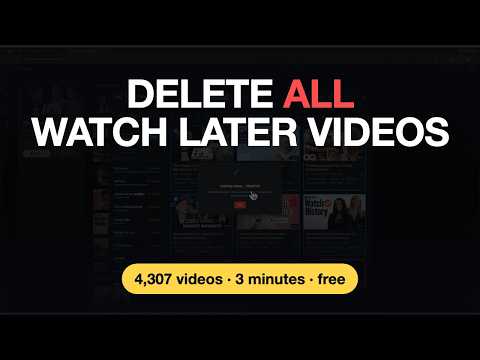
Watch Later Tidy for YouTube™ searches your Watch Later, your Liked videos and every playlist in your library as you type, by title, channel or the uploader's own tags, across thousands of saved videos. Send what you find to NotebookLM (now called Gemini Notebook) as sources, or bulk delete, remove likes in bulk, filter by channel or topic, group the grid by channel, sort by duration, views or upload date, reorder, sync every playlist at once, download transcripts in bulk, and escape the 5,000-video limit. The feature list below is free, with one limit for new installs on removing part of a list; an optional paid tier, TidyWL Pro, lifts that limit and adds clean-up rules, undo and a watch-list builder. Your playlist is fetched with your own YouTube session and cached on your device — the extension reports back only a random install ID and usage counts, never which videos, plus your licence key if you buy Pro. No account, no sign-in. 📋 Your YouTube Watch Later playlist is a graveyard. Videos saved months or years ago. Channels you forgot you followed. A queue so long you stopped trusting it. 🔍 You know you saved that video. You just can't find it again. Scrolling is the only tool you have — thousands of thumbnails, loading a screen at a time, hunting for one title you half-remember. Give up often enough and the list stops being worth keeping. Then one day you hit the 5,000-video limit. YouTube freezes you out — nothing new until you dig through the pile and start deleting. One. Video. At. A. Time. Your Liked videos list is worse — years long, no limit, and no way through it at all. The playlists you made yourself get exactly the tools YouTube gives Watch Later: none. Watch Later Tidy fixes all of it. Open a dashboard over your YouTube page, type a few letters to find any video instantly, see your whole playlist broken down by channel or topic (like a storage manager for your queue), filter, sort, reorder and bulk-delete. Minutes instead of hours. 🚀 HOW IT WORKS 1. Install the extension. 2. Go to youtube.com/playlist?list=WL (your Watch Later page) — or your Liked videos, or any playlist you own. 3. Click the Watch Later Tidy icon in Chrome's toolbar (pin it from the puzzle-piece menu if you don't see it). 4. Click "Open Dashboard". 5. Hit Sync and wait for the progress counter to finish. 6. Search by title, channel or tag to find one video, or browse by channel or topic, filter, sort, select, bulk-delete, reorder, or export. 7. Switch between Watch Later, Liked videos and any playlist in your library from the header at any time — each keeps its own cache. Tick several and you see them merged. No account. No sign-in. No setup. No permissions beyond your current YouTube session. ✨ NEW IN v2.6.0 ⏱️ Removing 4,500 videos or more at once now goes at a steady pace of about 1,000 a minute, so YouTube keeps working normally. The confirm says how long it will take. ⏹️ A Move has a Stop button, like a delete, and the videos it hasn't moved stay selected. 🧾 Clearer result windows after a sync, a restore or an error: the counts and one line of what to know. A sync says what is new, whether it matches YouTube's count, and offers Sync again if it came back short. 💎 WHAT TIDYWL PRO ADDS Pro is an optional subscription, available from https://tidywl.com/pro/. ♾️ No limit on removing videos. 🧹 Three clean-up rules — remove dead entries, archive finished videos, and a monthly rule that holds your list at a size. 📌 Pin a video and nothing removes it, rules included. 👁️ See and deselect the exact list before any bulk delete or unlike. ↩️ Undo deletions, with 90 days of history on the device that made them — 10,000 records by default, and you can raise the limit. 🔖 Saved views — name a filter set, reapply it in one click. 🕒 Lineup — a ranked watch list from your own saves, fitted to the time you have. 💬 Feature requests and support answered first. One key works on up to three devices — the About panel shows which devices are using it and lets you free one up. Any Pro charge can be refunded in full within 14 days. Cancel any time from the same panel; it opens your own billing portal. Current pricing, the refund policy and the terms: https://tidywl.com/pro/ 🛠️ FULL FEATURE LIST (free, with the one limit below) 🔍 Search your whole playlist by title, channel or tag, as you type. Works across thousands of videos without scrolling. 🏷️ The uploader's own tags on every card, clickable as filters — stack several to narrow, hover +N for the rest. 🗑️ Bulk delete selected videos, sent to YouTube in groups, with live progress, a stop button and Retry for any that fail. ❤️ Watch Later, Liked videos and every playlist in your library in one dashboard — pick one, or tick several and see them merged: one card per video, a chip for each playlist it's in, and Copy, Move and Delete across them. 🔄 Sync every ticked playlist in one run, or one at a time. 🗑️ Delete a playlist you own, or take one you saved off your library, from the menu. 💔 Remove likes in bulk, through the same flow as deletion. 📊 A sidebar with channel breakdown bars, sorted by count, that collapses out of the way. 🏷️ By Topic view: local keyword clustering, no API calls. Filter to a topic, or hide ones you don't want to see. 🔎 Search the sidebar's channel and topic lists as you type. 🎚️ Filter by watched status (with an adjustable progress threshold), availability, or duration (presets or a custom min/max). 📋 Grid of cards or a compact list, in the middle of the page or filling the whole window. 🔃 Sort by playlist order, duration, published date, views or title A–Z, or group the grid by channel with a heading you can fold for each one. 📝 Download transcripts for one video or hundreds, as timestamped text files named after the video. 📓 Send selected videos to Gemini Notebook (formerly NotebookLM) as sources. 📁 Move or copy videos to another playlist, with a filter box to find it by name. Create new playlists inline (Private / Unlisted / Public). ↕️ Reorder via Move to Top, Move to Bottom, or drag-and-drop (single or multi-select). 🔖 Per-video 3-dot menu: Move to Top, Move to Bottom, Open in new tab, Copy URL, Download transcript, Remove. 💾 Export to JSON or CSV (UTF-8 BOM, handles non-Latin titles correctly). 👤 Multi-account aware: auto-detects your logged-in Google account. Brand channels supported. ⌨️ Keyboard shortcuts: Cmd/Ctrl+A (select all), Delete/Backspace (delete selected), Esc (close or deselect). 🌗 Light and dark theme following your browser's setting. WCAG-AA contrast in dark mode. ♿ Accessibility: keyboard navigation on dropdowns and menus, ARIA labels, prefers-reduced-motion respected. 🆓 THE ONE FREE LIMIT Installed from v2.5.0 on? Removing part of a list, where you pick which videos go, counts against 1,000 free removals every 30 days, starting with the first one. Emptying a whole list, deleting one video from its menu, removing likes and copying never count. The dashboard shows how many are left before you select anything, and when they come back. Installed before v2.5.0? You keep unlimited removals. Pro has no limit. ❓ FAQ Does it need a YouTube API key or OAuth login? No. It uses the same internal endpoints your browser already calls. No API key, no OAuth, no account setup. Pro is unlocked by a licence key you paste in, not by signing in. Do I have to pay for anything? No. Everything in the list above is free, including emptying a whole list and removing likes. Installs from v2.5.0 on get 1,000 free removals every 30 days when picking part of a list; earlier installs keep unlimited removals. Pro is an optional subscription that lifts that limit and adds clean-up rules, Pin, operations preview, undo, saved views and the Lineup. What happens if my Pro subscription ends? The paid features stop and the free extension carries on as before, with the removal limit if you installed from v2.5.0 on. Your playlists, caches, saved views and delete history stay on your device and are not deleted, but saved views and the delete history can't be opened again until you resubscribe. Pinned videos stay protected, and you can still unpin them. If your browser can't reach our server for a while, Pro keeps working for 14 days before it drops back to free. Is my data sent anywhere? Your playlist is fetched from YouTube with your own session and cached on your device. It is not uploaded to us and we do not hold a copy of it. Everything that does leave your browser is listed under Privacy below. Does it work on my own playlists? Yes. Open the Playlists menu in the dashboard header and click any playlist in your library, or tick several to see them merged. Playlists you saved from other people can be searched, sorted, copied from and taken off your library, but not changed: only their owner can remove or reorder their videos. How do I find a specific video in my Watch Later? Open the dashboard, hit Sync once, then click the magnifier in the toolbar and type. It matches the title, the channel name and the uploader's tags as you type, across your entire playlist, so you can find a video by what it's about, not just what it's called. If you don't remember which playlist it's in, tick every playlist and search them all at once. Why can I only add 5,000 videos to Watch Later? YouTube caps every playlist, including Watch Later, at 5,000 items. Past that, adding more fails silently and the only fix is deleting older ones — which this extension makes possible without losing your afternoon. How do I bulk-delete videos from YouTube Watch Later? Install the extension, go to your Watch Later page, click "Open Dashboard", hit Sync, then select videos — individually, by channel, by topic, by tag, by filter, or with Cmd/Ctrl+A — and press Delete. Videos go to YouTube up to 100 at a time: in a test, 500 were deleted in under five seconds. From 4,500 at once, they go at a steady pace of about 1,000 a minute, so YouTube keeps working normally. Can I undo a deletion? On the free tier, no — deletions are permanent on YouTube's side, so export first if you want a snapshot. Pro remembers what you deleted for 90 days on the device that deleted it, up to 10,000 records by default, and can put it back: at the top of Watch Later, and by default at the end of other playlists. It cannot undo a removed like: YouTube treats that as un-liking, not as a playlist edit. Does it sync across devices? No. The cached playlist lives in your browser's local storage. A Pro licence does roam — it is stored in Chrome's synced settings — but your playlists, saved views and delete history do not. 🔒 PRIVACY Your playlist stays on your device. No login, no account, no servers holding your videos. No analytics or advertising library runs in the extension and nothing is sold or shared; what it does send is a short report of usage counts, listed below. What does go to tidywl.com: - Requests for a public config file and a notices file, with no identifiers and no payload, so the extension survives YouTube changing its page layout and can show you notices. A notice is words and links only. - Since v1.6.0, a random install identifier (not linked to you or your Google account) and your lifetime counts — videos deleted, likes removed, videos moved, bulk operations run, Lineups built and saved, days you opened the dashboard, the size of your Watch Later, whether each removal took the whole list or part of it, how often a free install opens the Pro plans and from where, notices shown and clicked, and your browser — sent whenever one of them changes. Never a title, a video ID, a channel or a timestamp. There is no setting to turn this off on Chrome; uninstalling stops it. Records not updated for 12 months are deleted. Counts include deletions made before v1.6.0. Policy: https://tidywl.com/privacy/ - Since v2.0.0, and only if you buy Pro: your licence key (or the Transaction ID from your receipt, to recover a lost key) and the device name you type when you activate it, so we can check the key is valid and show you which devices are using it. Nothing about your playlists or your Google account goes with it. Payment is handled by Paddle, our merchant of record, in their checkout on the tidywl.com pricing page — the extension never sees your card details, and we never receive them. The Lineup reads your YouTube watch history and your subscriptions to rank your saved videos. That reading happens on your device with your own YouTube session, and none of it is sent to us or to anyone else. "Send to Gemini Notebook" is the one flow that sends video links somewhere else: to Google's Gemini Notebook, using your own Google session, when you press it. Two optional permissions are requested only at the moment you first use the feature that needs them, never at install: - Gemini Notebook access, so the videos you pick can be added as sources. - Saving downloads, so transcripts can be written to your Downloads folder. Decline either one and the rest of the extension carries on working normally. ⚠️ HONEST LIMITATIONS - Requires being signed in to YouTube in this browser. - The free tier has no undo: deletions and removed likes are permanent. Pro's undo covers deletions only, for 90 days, and only on the device that made them — it is not a cloud backup and it cannot restore a removed like. It keeps 10,000 records unless you raise the limit; past the limit, the oldest drop off. - On installs from v2.5.0, the free tier removes up to 1,000 videos every 30 days from part of a list. The count is kept on your device. - Removing a like is not a playlist edit — YouTube treats it as un-liking, which can affect your recommendations. - Removing likes is paced: YouTube accepts only a few unlikes a second, so a long list takes minutes, about three for 300. - Reorder is hidden on Liked videos — YouTube orders that list by when you liked things. Move works there: it adds the video to your chosen playlist and removes your like. - Playlists you saved from other people can be searched and copied from, but not cleaned up or reordered — only their owner can change them. - A merged view of several playlists can't be reordered, and deleting there removes the video from every ticked playlist — untick to one playlist to delete from just that one. - Deleting a playlist is permanent. The videos stay on YouTube; the playlist does not. - Usage counts go to tidywl.com, with no switch in the extension to stop it on Chrome (see Privacy). - Pro's monthly clean-up rule only runs when your YouTube playlist is sorted by date added. If it isn't, the rule says so and does nothing rather than guessing. - The Lineup needs YouTube to be recording your watch history to rank by taste. With history paused it picks by length and age only. - Restoring a deleted video, or one from the archive, can't put it back where it was: YouTube adds it at the top of Watch Later and, by default, at the end of other playlists. - Transcript download opens a small visible window and works through videos one at a time, around three seconds each, in whichever language YouTube shows by default. - "Playlist order" sort reflects current position, not the date you added the video. YouTube doesn't expose added-date on web. - Uses YouTube's internal, undocumented API. It could break if YouTube changes their internals; a remote config lets many breakages be patched without an extension update. 💬 COMMUNITY Join the Discord to report bugs, request features, or just say hi: https://discord.gg/sTvjfp4sCk Built by an indie developer who hit the 5,000-video limit and had enough. Independent and not affiliated with YouTube or Google. YouTube is a trademark of Google LLC. 🚀
5.0 out of 587 ratings
Details
- Version2.6.0
- UpdatedOctober 15, 2026
- FeaturesOffers in-app purchases
- Size498KiB
- Languages6 languages
- DeveloperWebsite
Email
dominic.lamth@gmail.com - Non-traderThis developer has not identified itself as a trader. For consumers in the European Union, please note that consumer rights do not apply to contracts between you and this developer.
Privacy

Watch Later Tidy for YouTube™ has disclosed the following information regarding the collection and usage of your data. More detailed information can be found in the developer's privacy policy.
Watch Later Tidy for YouTube™ handles the following:
This developer declares that your data is
- Not being sold to third parties, outside of the approved use cases
- Not being used or transferred for purposes that are unrelated to the item's core functionality
- Not being used or transferred to determine creditworthiness or for lending purposes
Support
For help with questions, suggestions, or problems, visit the developer's support site