

YouBooster – Free VPN for Chrome Extension

Overview
Unblock any website with one click. Fast, free VPN extension for Chrome. Stream 4K without buffering. No sign-up.
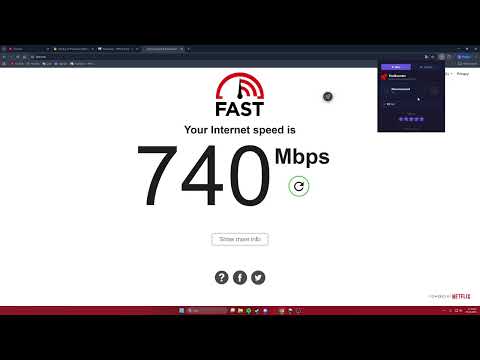
YouBooster is a free Chrome VPN extension for Google Chrome. It hides your IP address, secures your connection and gives you access to geo-restricted content. If you're looking for a free Chrome VPN that works without registration or data limits — this is it. Whether you need to access streaming content from another country, stay private on public Wi-Fi or browse without being tracked, YouBooster handles it from right inside your browser. No separate vpn download needed, no accounts to create. It's a free vpn Chrome extension — no extra software required. Getting started takes seconds. Install YouBooster from the Chrome Web Store, accept the privacy agreement and pin it to your toolbar. Hit connect and you're browsing securely. Features: • Country selection: Choose any server location or pick "Random" for automatic connection. • Auto IP rotation: Your IP address changes at intervals you set — a fresh address every time. • Smart mode: Enable VPN on a site once and it remembers. Next visit, it activates on its own. • Selected sites or all traffic: Run the VPN only where you need it or route everything through the server. Default is selective — change it in settings. • Proxy management: Block slow proxy servers so you never reconnect to them. Got your own proxy? Add it and use it. • On-page button: A compact toggle appears on the page. Drag it wherever suits you. • 4K video support: Servers optimised for streaming. Watch 4K content without buffering. Your connection is routed through an encrypted tunnel. Browsing history is not logged or shared with third parties. Safe even on public Wi-Fi. Looking for a free vpn in the UK or anywhere else? YouBooster is a reliable vpn app for Chrome — available worldwide. Install it now from the Chrome Web Store — no sign-up, no payment, no limits. Private browsing, one click away.
3.8 out of 5462 ratings
Details
- Version2.2
- UpdatedMarch 6, 2026
- Size692KiB
- Languages50 languages
- DeveloperWebsite
Email
serkanka22663@gmail.com - Non-traderThis developer has not identified itself as a trader. For consumers in the European Union, please note that consumer rights do not apply to contracts between you and this developer.
Privacy

This developer declares that your data is
- Not being sold to third parties, outside of the approved use cases
- Not being used or transferred for purposes that are unrelated to the item's core functionality
- Not being used or transferred to determine creditworthiness or for lending purposes
Support
For help with questions, suggestions, or problems, please open this page on your desktop browser