

YouTube Voice Assistant
4 ratings
)
Overview
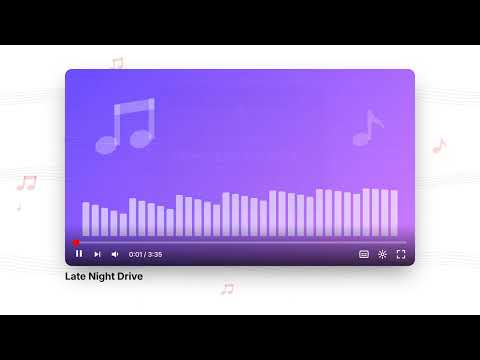
שליטה קולית ביוטיוב בלי ידיים: עצירה, דילוג, מעבר בין שירים, דילוג על פרסומות וחיפוש שיר לפי שם.
שולטים ביוטיוב בקול. בלי לגעת במסך. מבשלים, מתאמנים, מציירים, או שהידיים פשוט תפוסות? אומרים "היי יוטיוב" ואחר כך את הפקודה, והתוסף עושה את השאר. מה אפשר להגיד ניגון: "עצור", "המשך", "מהתחלה" תזוזה בסרטון: "תריץ 30 שניות קדימה", "תחזיר 20 שניות אחורה", "לדקה 2 ו-30 שניות", "לתחילת הסרטון", "לסוף הסרטון" שירים וסרטונים: "שיר הבא", "השיר הקודם", "תדלג 3 שירים קדימה", "נמאס לי מהשיר" חיפוש לפי שם: "תשים לי את השיר ..." — ואם זה לא השיר הנכון, אומרים "לא זה" והוא עובר לתוצאה הבאה פרסומות: "דלג על הפרסומת" — התוסף לוחץ על כפתור הדילוג כשיוטיוב מציגה אותו, גם על כמה פרסומות ברצף שמע ותצוגה: עוצמה, השתקה, מהירות, כתוביות, מסך מלא, "כמה זמן נשאר" כשהוא לא בטוח שהבין, הוא שואל "האם התכוונת ...?" ומחכה ל"כן" או "לא" שפות עברית ואנגלית נתמכות במלואן. רומנית, רוסית, ערבית, ספרדית וצרפתית נתמכות גם הן, ואנחנו ממשיכים לשפר אותן. אפשר להחליף שפה בקול: "תדבר אנגלית". איך מתחילים מתקינים את התוסף נכנסים ליוטיוב, לוחצים פעם אחת בכל מקום בדף, ומאשרים את המיקרופון אומרים "היי יוטיוב" (או "עוזר קולי") ואת הפקודה פרטיות התוסף משתמש בזיהוי הדיבור המובנה של Chrome, והוא פועל רק כשאומרים את מילת ההפעלה או לוחצים על כפתור המיקרופון. התוסף עצמו לא מקליט, לא שומר ולא שולח אודיו, ואין למפתחת גישה למה שנאמר. זיהוי הדיבור מתבצע בשירות הדיבור של הדפדפן (Google). התוסף שולח סטטיסטיקות שימוש אנונימיות בלבד (סוג הפעולה, קוד השפה וגרסת התוסף), בלי תוכן: לא מה שנאמר, לא שמות שירים ולא קישורים. מדיניות הפרטיות המלאה: https://shirelzag24.github.io/youtubevoice-assistant/privacy-policy תמיכה ודיווח על תקלות: https://github.com/shirelzag24/youtubevoice-assistant/issues התוסף אינו קשור ל-YouTube או ל-Google ואינו מאושר על ידם. YouTube הוא סימן מסחרי של Google LLC. Description — English (add as a localized listing) Control YouTube with your voice. No touching required. Cooking, working out, drawing, or just have your hands full? Say "Hey YouTube", then your command, and the extension does the rest. What you can say Playback: "pause", "resume", "start over" Seeking: "rewind 30 seconds", "skip forward 45 seconds", "go to 2 minutes 30 seconds", "go to the beginning", "go to the end" Songs and videos: "next song", "previous song", "skip 3 songs", "I'm tired of this song" Search by name: "play Despacito" — if it is not the right one, say "not this one" to try the next result Ads: "skip the ad" — clicks YouTube's skip button when it appears, including several ads in a row Sound and display: volume, mute, speed, subtitles, full screen, "how much time is left" When it is not sure it understood, it asks "Did you mean …?" and waits for "yes" or "no" Languages Hebrew and English are fully supported. Romanian, Russian, Arabic, Spanish and French are supported too, and we keep improving them. Switch language by voice: "speak Hebrew". Getting started Install the extension Open YouTube, click once anywhere on the page, and allow the microphone Say "Hey YouTube" (or "Voice Assistant") and your command Privacy The extension uses Chrome's built-in speech recognition, and only when you say the wake phrase or press the microphone button. The extension itself does not record, store or send audio, and the developer has no access to what you say. Speech recognition is performed by the browser's speech service (Google). The extension sends anonymous usage statistics only (the type of action, language code and extension version), never content: not what you said, not song names, not links. Full privacy policy: https://shirelzag24.github.io/youtubevoice-assistant/privacy-policy Support and bug reports: https://github.com/shirelzag24/youtubevoice-assistant/issues This extension is not affiliated with or endorsed by YouTube or Google. YouTube is a trademark of Google LLC.
4 out of 54 ratings
Details
- Version4.7
- UpdatedNovember 11, 2026
- Size67.63KiB
- Languages3 languages
- Developer
Email
shirelzag24@gmail.com - Non-traderThis developer has not identified itself as a trader. For consumers in the European Union, please note that consumer rights do not apply to contracts between you and this developer.
Privacy

YouTube Voice Assistant has disclosed the following information regarding the collection and usage of your data. More detailed information can be found in the developer's privacy policy.
YouTube Voice Assistant handles the following:
This developer declares that your data is
- Not being sold to third parties, outside of the approved use cases
- Not being used or transferred for purposes that are unrelated to the item's core functionality
- Not being used or transferred to determine creditworthiness or for lending purposes
Support
For help with questions, suggestions, or problems, visit the developer's support site