

YouTube Video Translator - AnyDub AI, Audio, Twitch Live Streams & Text
Overview
Translate & dub video, audio and text: YouTube, Twitch, podcasts, articles. Read any page aloud. No subtitles needed. AI voices.
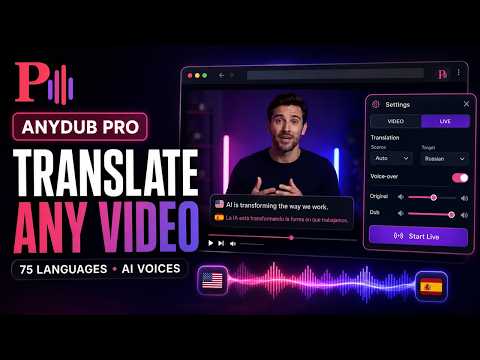
Understand any video or audio in your language — even when there are no subtitles at all. AnyDub translates and voices what is said in a video while you watch. The translated voice plays over the original, in sync with the picture. Works on YouTube, Twitch, TikTok, Vimeo and ordinary websites with video. WHAT MAKES IT DIFFERENT — IT WORKS WITHOUT SUBTITLES: Most translators can do only one thing: take existing subtitles and translate them. No subtitles — no translation. AnyDub can listen to the speech itself: turn on Live mode and the extension recognises what is being said, translates it and reads it aloud. Works on any site and in any language. You choose how speech is recognised: the free online option, on your own computer (the sound never leaves it), or the most accurate cloud option on our server. LIVE STREAMS: Broadcasts never have subtitles — there is nobody to prepare them in advance. AnyDub translates Twitch streams, YouTube live broadcasts and any live video in real time, with a couple of seconds of delay. Watch streamers from any country without knowing their language. NOT ONLY VIDEO — ANY SOUND: Podcasts, audiobooks, webinars, interviews, online lectures, conference recordings. If something is playing on the page, AnyDub will translate it. No picture required. READS TEXT ALOUD, NOT ONLY VIDEO: Select any text on a page, right-click and AnyDub will read it aloud — translating as it goes if you want. Or let it read the whole article: it finds the text itself and skips menus, adverts and link lists. The paragraph being read lights up, so it is easy to follow along or pick up where you stopped. The reading window can be moved and resized, the speed is adjustable, and both the text and the audio can be saved — TXT for the text, MP3 for the voice. Useful for long reads, documentation, news in a foreign language, or simply when you would rather listen than read. NATURAL VOICES: Besides the system voices there are neural voices — they sound like a person, not a robot. Every language has male and female options, and for widely spoken languages the choice is much broader. Speech rate is adjustable: listen faster if you are used to speeding videos up. SUBTITLES, NOT JUST DUBBING: Prefer to read? Turn on subtitles — original and translation at the same time, one under the other. Handy for language learners: you hear the original and check yourself against the translation. The look is adjustable: size, colour, background opacity, position on screen. Subtitles can be downloaded as a file. HOW IT WORKS: 1. Install the extension 2. Open a video — on YouTube, Twitch, TikTok or any other site 3. Click the AnyDub button over the player 4. Choose the language to translate into 5. Press «Dub» — the translation plays in sync with the video If the video has subtitles, AnyDub will use them. If not, turn on Live mode and the extension will recognise the speech by itself. PERFECT FOR: - Lectures and courses: Coursera, Udemy, conferences, webinars - Korean dramas, Japanese anime, Spanish and Turkish series - Twitch streams and live broadcasts in any language - News and reports from other countries - Game breakdowns, gadget reviews, tutorials - Podcasts and interviews that were never translated - Learning languages: hear the original and read the translation at the same time WHERE IT WORKS: - YouTube — regular videos, Shorts, live broadcasts - Twitch — streams and VODs - TikTok - Vimeo - Ordinary websites with video and audio PLANS: Video translation and dubbing are free with no account. The free plan also includes 60 minutes of Live translation a day, 10 minutes of the neural AI voice and 3 000 characters of text reading. Pro lifts the Live limit and unlocks subtitle styling, downloads and automatic speech-rate matching. Pro Max removes the reading limit entirely and raises the AI voice to three hours a day. A one-off Lifetime purchase gives the same as Pro Max, for good, except two daily limits that are smaller. Cloud recognition (the most accurate) and smart translation (AI translates by meaning): 1 minute of each to try without an account; after signing in, a 10-minute and a 3-minute gift plus 2 and 1 minutes every day; Pro gets 30 and 3 minutes a day, Pro Max 3 hours and 10 minutes, Lifetime 1 hour and 5 minutes. Purchased minutes work for the AI voice, cloud recognition and smart translation. WHY THE PERMISSIONS ARE NEEDED: - «tabs» — to notice when you move to a new video and clear the old subtitles - «webRequest» — to obtain YouTube subtitles for translation - «tabCapture» — to hear the tab's audio in Live mode - «unlimitedStorage» — to store the speech recognition model once instead of downloading it again PRIVACY: - In Live mode the sound is recognised by Google (online option), on your own computer, or on our server (cloud option) — pieces of sound are sent only to be recognised and are not stored - Text for translation and speech is sent only to translation and speech synthesis services - Video content is never stored - If you sign in, we keep your email; to keep the free minutes fair, we keep a random device number and an anonymous browser fingerprint for up to 90 days - Settings are kept locally in your browser - An account is needed for paid plans and for the daily free minutes of cloud recognition and smart translation (1 minute of each can be tried without one) — everything else works without one Watch the whole world. In your language.
4.1 out of 513 ratings
Details
- Version1.1.9
- UpdatedOctober 23, 2026
- Size19.68MiB
- Languages50 languages
- DeveloperWebsite
Email
browsx.support@gmail.com - Non-traderThis developer has not identified itself as a trader. For consumers in the European Union, please note that consumer rights do not apply to contracts between you and this developer.
Privacy

This developer declares that your data is
- Not being sold to third parties, outside of the approved use cases
- Not being used or transferred for purposes that are unrelated to the item's core functionality
- Not being used or transferred to determine creditworthiness or for lending purposes