


Overview
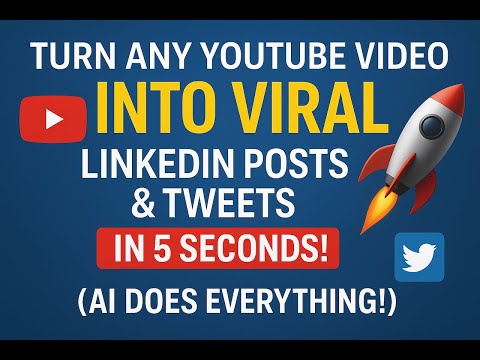
Instantly turn any YouTube video into a LinkedIn post or tweet in one click.
Stop scrolling. Turn any YouTube video or Short into a viral LinkedIn post or Tweet in 1 click. Create high-quality social posts from YouTube without pausing the video, switching tabs, or staring at a blank page. This extension adds a smart "Generate Post" panel right on YouTube (including Shorts) that fetches the transcript and turns it into a ready-to-post LinkedIn update or Tweet/X — customized to your voice and length. WHAT IT DOES: * Instant post generation: Repurpose any YouTube video or Short into a LinkedIn post or a Tweet/X thread with one click. * Works on Videos and Shorts: Sidebar panel on regular videos; floating panel on Shorts. * Customizable tone and length: Choose style (Professional, Casual, Storytelling, Educational, Funny, or Controversial) and length (Tiny, Short, Medium, Long). * Twitter/X formats: Pick Single Tweet or a 4-part Thread. * Optional video link: Toggle "Add video link" to include the YouTube URL automatically. * Your personal twist: Add "Custom Instructions" to steer the voice, angle, or audience. * Copy to clipboard: One tap to copy and post wherever you want. WHY INSTALL IT: * Eliminate the blank page: Get a solid, human-sounding first draft in seconds. * Grow faster on LinkedIn and X: Share insights from every video you watch — while it’s fresh. * Ship more content with less effort: Stay consistent without spending hours writing. * Totally in your flow: The generator lives on the YouTube page you’re already on. HOW IT WORKS (in seconds): 1. Open any YouTube video or Short. 2. Click "Generate Post." 3. Pick platform (LinkedIn or Twitter/X), style, and length. Optionally add a link or custom instructions. 4. Copy the result and post. KEY FEATURES, AT A GLANCE: * Smart transcript fetch with local caching for quick repeats. * Readable, skimmable output tuned for social engagement. * Live on-page UI that stays out of your way and works with YouTube navigation. * Minimize/expand the panel anytime. * Regenerate variations instantly. WHO IT’S FOR: * Creators & YouTubers: Turn every upload into multiple social posts. * Founders & marketers: Share learnings, product demos, and industry takes consistently. * Developers & learners: Capture "aha!" insights from tutorials as concise posts. * Agencies & social teams: Scale output without scaling headcount. ACCURACY, QUALITY, AND CONTROL: * The tool produces a strong first draft designed to sound human, with short, conversational sentences and clear takeaways. * You remain in full control: tweak, add your perspective, and post — or hit "Regenerate" for a different spin. * LinkedIn posts include a punchy hook, concrete insights, and a thoughtful question to spark comments. Tweets keep to 280 characters (single) or 4 concise parts (thread). PERMISSIONS: * Read data on youtube.com: Needed to detect titles, Shorts, and to render the panel. * Storage: Used only for saving your settings (style, length, etc.) and a short-term transcript cache for speed. WORKS WHERE YOU WORK: * YouTube Videos pages (/watch) * YouTube Shorts (/shorts) — floating panel overlays the right side so you can generate without leaving the feed. TIPS FOR BEST RESULTS: * Add a quick personal angle in "Custom Instructions" (e.g., speak as a SaaS founder targeting mid-market buyers). * Use "Professional" for LinkedIn and "Casual" or "Storytelling" for X to boost engagement. * Toggle "Add video link" to drive traffic back to the source. FAQs: * Does it auto-post to LinkedIn or X? No. It generates content. You review, copy, and post manually. * Will it work on every video? Most videos with captions or auto-captions work. For rare cases without transcripts, the tool still generates a helpful summary-style post. * Can I use it on Shorts? Yes. The panel appears as a compact floating box on Shorts. * Is it free? Yes — no subscription or account required. * Does it support other platforms? Today: LinkedIn and Twitter/X. More destinations are on the roadmap. ROADMAP: * Facebook, Instagram, and Reddit formats * Saved prompts and brand voice presets * One-click UTM-tagged link insertion * Multi-post batching from a playlist SUPPORT: Have feedback or a feature request? Leave a review on the Chrome Web Store with details — we actively read and iterate. TL;DR: Turn any YouTube video or Short into a polished LinkedIn post or Tweet/X in one click — with your tone, your length, and your link. Create more content in minutes, not hours.
4.5 out of 52 ratings
Details
- Version1.0.0
- UpdatedOctober 3, 2025
- Size124KiB
- LanguagesEnglish
- DeveloperWebsite
Email
dillibabukadati@gmail.com - Non-traderThis developer has not identified itself as a trader. For consumers in the European Union, please note that consumer rights do not apply to contracts between you and this developer.
Privacy

This developer declares that your data is
- Not being sold to third parties, outside of the approved use cases
- Not being used or transferred for purposes that are unrelated to the item's core functionality
- Not being used or transferred to determine creditworthiness or for lending purposes