

YouTube Timestamp Notes – Notes Linked to Video Moments
Overview
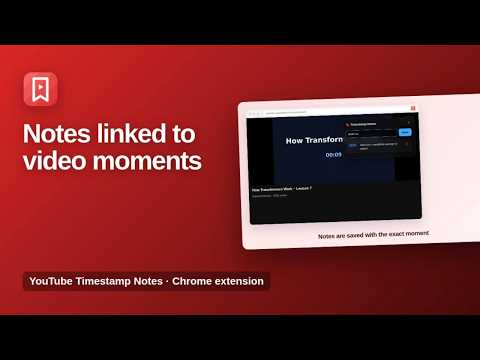
Write notes on YouTube videos tied to the exact moment. Click a note to jump back and export all notes as text.
Take notes on YouTube videos, each tied to the exact moment it is about. YouTube Timestamp Notes adds a notes panel to every YouTube video. Write a note and it is saved with the current time of the video. Click a note later to jump straight back to that moment. ★ Notes linked to video moments Every note keeps its timestamp, so you can return to the exact second with one click. ★ Notes for every video Your notes are saved per video and are there again the next time you open it. ★ Export everything Save all your notes as a text file for studying, research, meeting recordings or content planning. ★ Great for Online courses and lectures, tutorials, podcasts, interviews and video research. How to use 1. Open a YouTube video. 2. Use the notes panel on the page to write a note at the current moment. 3. Click a note to jump back. Use Export Notes in the popup to save them as text. Available in English, Spanish, Portuguese, German, French and Turkish. Private by design Your notes are stored only on your own device. Nothing is collected or sent anywhere. More information: https://www.extensions.kominikee.com/youtube-timestamp-notes/
0 out of 5No ratings
Details
- Version1.1
- UpdatedOctober 22, 2026
- Size20.41KiB
- Languages6 languages
- DeveloperKominike DigitalWebsite
Esentepe, Büyükdere Cd. No:12 Mecidiyeköy, İstanbul 34200 TREmail
hello@kominikee.com - Non-traderThis developer has not identified itself as a trader. For consumers in the European Union, please note that consumer rights do not apply to contracts between you and this developer.
Privacy

This developer declares that your data is
- Not being sold to third parties, outside of the approved use cases
- Not being used or transferred for purposes that are unrelated to the item's core functionality
- Not being used or transferred to determine creditworthiness or for lending purposes
Support
For help with questions, suggestions, or problems, please open this page on your desktop browser