

YouTube Timestamp Helper
5 ratings
)
Overview
Create, manage, and loop timestamps on YouTube videos with labels and copy-friendly output.
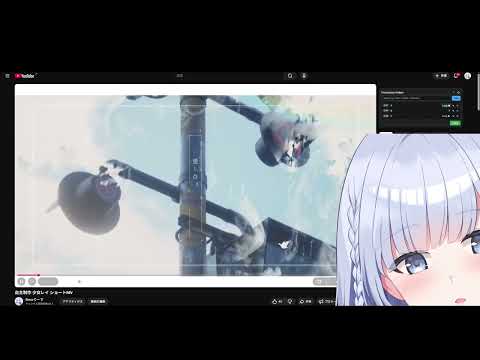
YouTube 上で「タイムスタンプ+ラベル」をサクッと作れて、その区間を A–B ループできる拡張機能です。 ✅ 主な機能 - 今の再生位置にラベル付きタイムスタンプを追加 - 追加時に自動で【時間昇順ソート】 - 行ドラッグで自由に並び替え - ラベルのインライン編集、誤削除を防ぐ二段階削除 - コピーフォーマットを選択可能 - タイムスタンプのみ - タイトル+動画URL+リンク付きタイムスタンプ - ラベルA〜ラベルBの区間ループ(A–Bリピート) - 1つ目のラベルで「Loop ▶」→ A 点 - 2つ目のラベルで「Loop ▶」→ B 点&ループ開始 - A の「Loop ⏹」でループ停止 🎯 こんな用途に - 楽曲・講座・配信アーカイブのチャプター作成 - 練習したいフレーズ区間の反復再生 - 動画説明欄やコメント用のタイムスタンプリスト作成 🔒 プライバシー データは chrome.storage を通してローカル保存され、動画ごとに保持されます。 外部サーバーには一切送信されません。 ------ YouTube Timestamp Helper lets you create, edit, and copy timestamps with labels directly on YouTube — and loop between any two markers (A–B loop style). ✅ Features - Add timestamps with custom labels at the current playback position - Automatically sort timestamps by time (ascending) - Reorder timestamps via drag & drop - Inline label editing and two-step delete (prevents accidental removal) - Copy timestamps in two formats: - Timestamps only - Title + video URL + timestamps with clickable links - A–B loop between any two labels: - Click "Loop ▶" on the first label to set point A - Click "Loop ▶" on another label to set point B and start looping - Click "Loop ⏹" on A to stop looping 🎯 Typical use cases - Creating chapter markers for music, tutorials, lectures - Practicing specific sections of a song or solo - Sharing clean timestamp lists in video descriptions or comments ⚙️ How to use 1. Open any YouTube video. 2. On the right side (recommended videos area), you'll see the "Timestamp Helper" panel. 3. Play the video and click "Add" to create a timestamp at the current time. 4. Edit labels, drag to reorder, or copy everything with the "Copy" button. 5. For A–B loop: - Click "Loop ▶" on the label you want as start (A) → it becomes "A". - Click "Loop ▶" on the label you want as end (B) → loop starts between A–B. - Click "Loop ⏹" on A to stop the loop. 🔒 Privacy All timestamps are stored locally via chrome.storage and tied to each video. No data is sent to any external servers.
4.8 out of 55 ratings
Details
- Version1.0.0
- UpdatedJanuary 10, 2026
- Offered byRiesz
- Size34.0KiB
- LanguagesEnglish
- Developer
Email
rieszedit@gmail.com - Non-traderThis developer has not identified itself as a trader. For consumers in the European Union, please note that consumer rights do not apply to contracts between you and this developer.
Privacy

This developer declares that your data is
- Not being sold to third parties, outside of the approved use cases
- Not being used or transferred for purposes that are unrelated to the item's core functionality
- Not being used or transferred to determine creditworthiness or for lending purposes
Support
For help with questions, suggestions, or problems, visit the developer's support site