


Pangkalahatang-ideya
Tidy up your Youtube subscription list with tab organization features
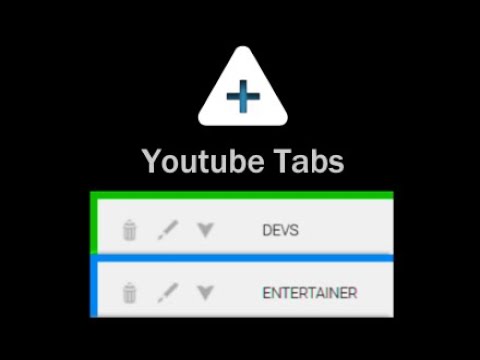
ATTENTION: YouTube appears to have recently stopped displaying all subscriptions within the sidebar. Youtube Tabs is purely a UI modification, meaning it can only organize the subscriptions it sees. Unless this changes, Youtube tabs may soon have to be sunsetted. Say no more to enormous and cumbersome lists of subscriptions. Group your subscriptions just how you want them quickly and easily directly from the sidebar! The Youtube Tabs extension builds functionality into the Youtube UI, allowing you to easily sort your subscriptions into different tabs within the side-menu of Youtube itself. • Create tabs within the subscription panel • Select and organize your subscriptions directly from the side-panel • Customize names and colors • Favorite subscriptions • Show/Hide tabs • Move tabs around to have your favorite subscriptions right where you want them • Quickly organize new subscriptions Simply install, activate, and navigate to Youtube. A help/info menu will open showing you all the functions of the extension as well as the newest updates. WARNING: This extension saves data locally and can be lost if you reset your browsing data. You can backup your tab data via the import/export buttons in the help menu (Accessible via the "?" button in the Subscriptions header). If you clear your browser's local data (or reset/uninstall your browser) without a backup copy, your tab data will be lost. Note: The functionality for this extension removes the ability to drag the scroll bar in the subscriptions panel. This is a minor inconvenience that unfortunately could not be avoided, although this may change in a future update. Currently tested on Chromium and Firefox browsers.
4.0 sa 560 rating
Mga Detalye
- Bersyon2.0.12
- Na-updateHunyo 14, 2024
- Iniaalok ngGeek Overdrive Studio
- Laki42.68KiB
- Mga WikaEnglish (United States)
- Developer
Email
grant@geekoverdrivestudio.com - Hindi traderHindi tinukoy ng developer na ito ang sarili bilang trader. Para sa mga consumer sa European Union, pakitandaang hindi naaangkop ang mga karapatan ng consumer sa mga kontrata sa pagitan mo at ng developer na ito.
Privacy

Ipinapahayag ng developer na ito na ang iyong data ay
- Hindi ibinebenta sa mga third party na hindi kabilang sa mga naaprubahang sitwasyon ng paggamit
- Hindi ginagamit o inililipat para sa mga layuning hindi nauugnay sa pangunahing functionality ng item
- Hindi ginagamit o inililipat para tukuyin ang pagiging creditworthy o para sa mga layunin ng pagpapautang
Suporta
Para sa tulong sa mga tanong, suhestyon, o problema, pakibuksan ang page na ito sa iyong desktop browser