

YouTube Notes
2 件の評価
)
概要
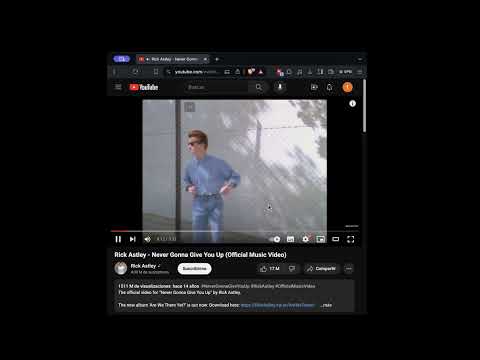
Take timestamped notes of YouTube videos directly in the browser.
The YouTube Notes Chrome extension is a useful tool for taking timestamped notes on YouTube videos and storing them locally within your browser. Usage To utilize the YouTube Notes extension effectively, follow these steps: 1. Pinning the Extension It's recommended to pin the extension in your browser for easy access. Click the jigsaw icon in your browser toolbar, then select the pin icon for the YouTube Notes extension. If you prefer shortcuts, you can access it by pressing Ctrl + Y on Windows and Linux, or Cmd + I on Mac (the shortcut was chosen to be Y for easy remembrance (YoutTube), but on Mac, it opens the latest downloads). 2. Creating Notes - Navigate to any YouTube video you want to take notes on. - Play the video until the moment you want to take notes. You can pause the video or keep it playing. The extension will automatically capture the timestamp when you open it. 3. Editing Notes - Open the extension on the video where you took notes. - Locate the note you want to edit and click on the timestamp associated with that note. - The video will be navigated to the corresponding moment, and the note will appear in the text box. - Edit the note as desired and save it again. 4. Deleting Notes - Open the extension on the video where you took notes. - Find the note you want to delete and click on the trash icon. - To confirm the deletion, select the check icon. Otherwise, click the cross icon. 5. Viewing All Notes Please note that the functionality to view all notes directly within the extension is not yet implemented. However, you can still access your notes since they are stored locally in your browser. Follow these steps: - Install the Storage Area Explorer extension. - Right-click on the extension icon in your browser's toolbar and select "Inspect pop-up." - Navigate to the "Storage Explorer" tab. You will find your notes stored there, where you can remove, edit, or export them. The format used to store the notes is as follows: - The channels key stores all the channels for the videos you took notes on, formatted as {channelId: channelName, ...}. - For each of the previous channelIds, you will find a key with the channelId storing the videos from that channel you took notes on, formatted as {videoId: videoName, ...}. - Finally, for each video with ID videoId, you will find a key with the videoId storing the notes you took on that video, formatted as {timestamp: note, ...}.
5 点満点で 52 件の評価
詳細
- バージョン1.0
- 更新:2024年3月6日
- 提供元fferrin
- サイズ17.66KiB
- 言語English
- デベロッパー
メール
facundo.ferrin@gmail.com - 非取引業者このデベロッパーは取引業者として申告していません。EU 加盟国の消費者とこのデベロッパーとの間に締結された契約には、消費者の権利が適用されません。
プライバシー

このデベロッパーは、お客様のデータについて以下を宣言しています
- 承認されている以外の用途で第三者に販売しないこと
- アイテムの中心機能と関係のない目的で使用または転送しないこと
- 信用力を判断する目的または融資目的で使用または転送しないこと