

Youtube Music Together - Listen to Music with Your Friends
26 ratings
)
Overview
Create a room, share the link, and listen to YouTube Music in sync with friends. No account needed.
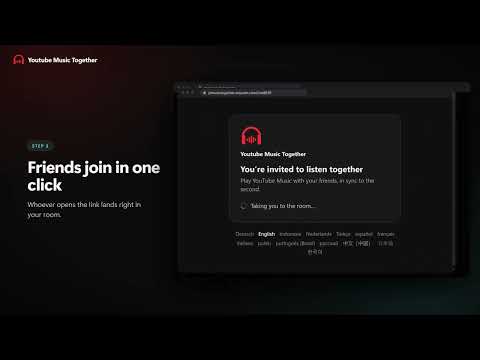
Same song. Same second. Miles apart. Listen to YouTube Music with your friends. Create a room, share the link, and everyone hears every beat at the same moment, wherever they are. ✓ No sign-up ✓ 69 languages ✓ Works on music.youtube.com ■ HOW IT WORKS 1. Create a room: Open YouTube Music, click the headphones button in the bottom-right corner and create a room. 2. Share the link: Send the invite link on WhatsApp, Telegram, Discord or anywhere you chat. 3. Listen together: Friends who open the link land right in your room. Play, pause and skip stay in sync for everyone. ■ FEATURES • Same song, same second: Everyone in the room hears the same moment. When someone pauses, skips or jumps ahead, it happens for everyone. • One queue for the whole room: Add songs from any YouTube Music menu with “Play next in room” or “Add to room queue”, and see who added what. • Invite friends with one link: Every room has its own link. Friends who have the extension join in one click; everyone else gets a quick guide to install it. • You’re in control: Let guests play, pause and edit the queue, or keep control to yourself. • No sign-up: Install and start listening. No account, no email, no password. • Completely free: No subscriptions and nothing to buy. • 69 languages: English, Türkçe, Deutsch, Español, Français, 日本語 and more. Built on top of YouTube Music, so your music, your recommendations and your playlists are all still there. ■ QUESTIONS Does everyone need the extension? Yes. Everyone listens on their own computer, so each person needs the extension in Chrome or Edge and YouTube Music open. Does it work with a free YouTube Music account? Yes, with free and Premium accounts. Everyone plays the music on their own YouTube Music; if someone gets an ad, they rejoin the song in sync when it ends. Does it work on phones? No. Youtube Music Together runs in Chrome or Edge on a computer. Is it really free? Yes. There’s no sign-up and nothing to buy. What data do you collect? Only what’s needed to run rooms: an anonymous device account, the room you’re in and what’s playing in it. No email, no Google account data. Read the privacy policy (https://ytmusictogether.eraycan.com/privacy?lang=en-US). ■ HELP & SUPPORT The fastest way to reach us is from inside the extension: 1. Open the panel on YouTube Music. 2. Click the “Report a problem” icon at the top of the panel. 3. Describe what happened and press “Send”. Support: https://ytmusictogether.eraycan.com/support?lang=en-US Privacy: https://ytmusictogether.eraycan.com/privacy?lang=en-US Youtube Music Together is not affiliated with or endorsed by YouTube or Google. YouTube Music is a trademark of Google LLC.
4.0 out of 526 ratings
Details
- Version2.2.1
- UpdatedSeptember 25, 2026
- Offered byBleagle13
- Size611KiB
- Languages55 languages
- Developer
Email
ceray6575@gmail.com - Non-traderThis developer has not identified itself as a trader. For consumers in the European Union, please note that consumer rights do not apply to contracts between you and this developer.
Privacy

This developer declares that your data is
- Not being sold to third parties, outside of the approved use cases
- Not being used or transferred for purposes that are unrelated to the item's core functionality
- Not being used or transferred to determine creditworthiness or for lending purposes
Support
For help with questions, suggestions, or problems, please open this page on your desktop browser