

YouTube Focus Guardian — Final
평점 1개
)
개요
One-at-a-time YouTube. Close on end/replay/autoplay, auto-click Continue watching, no loops.
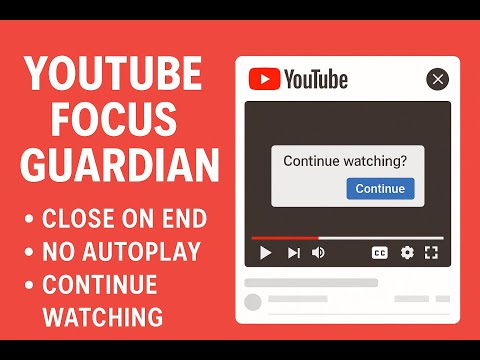
YouTube Focus Guardian ensures that only one YouTube video plays at a time — keeping your experience clean, focused, and interruption-free. This extension is perfect for people who listen to music, podcasts, lectures, or long playlists and don’t want multiple tabs to start playing at once. 🚀 Features ✅ One-at-a-time playback: If a new video starts in another tab, the previous one remains in focus and the new one is paused automatically. ⏸️ Auto-close after playback: When a video finishes or tries to replay, the tab closes instantly. 🔒 Blocks autoplay: Prevents the next video from starting automatically. 👆 Auto “Continue Watching” clicker: If YouTube pauses the video asking “Continue watching?”, the extension clicks it for you. 🔁 No looping: Stops videos from looping once finished. 🧭 Smart focus: When one tab finishes, focus moves to the next unfinished tab. 🧠 Why install this Prevents annoying background noise from multiple tabs. Keeps your attention on one video at a time. Ideal for work sessions, background music, study time, or playlists. Lightweight, fast, and works automatically — no settings required.
5점 만점에 5점평점 1개
세부정보
- 버전1.1.0
- 업데이트됨2025년 10월 19일
- 제공parmjitkaur0069
- 크기9.37KiB
- 언어English (United States)
- 개발자
이메일
parmjitkaur0069@gmail.com - 비판매자판매자로 식별되지 않은 개발자입니다. 유럽 연합에 거주하는 소비자의 경우, 이 개발자와 체결한 계약에 대해서는 소비자 권리가 적용되지 않을 수 있음을 유의해야 합니다.
개인정보 보호

개발자가 사용자 데이터에 관해 다음과 같이 선언했습니다
- 승인된 사용 사례를 제외하고 서드 파티에 판매하지 않음
- 항목의 핵심 기능과 관련 없는 목적으로 사용하거나 전송하지 않음
- 신용도 판단 또는 대출 목적으로 사용하거나 전송하지 않음
지원
질문, 제안 또는 문제와 관련하여 도움이 필요하면 데스크톱 브라우저에서 이 페이지를 여세요.