

Youtube Comment Screenshot Tool
2 ratings
)
Overview
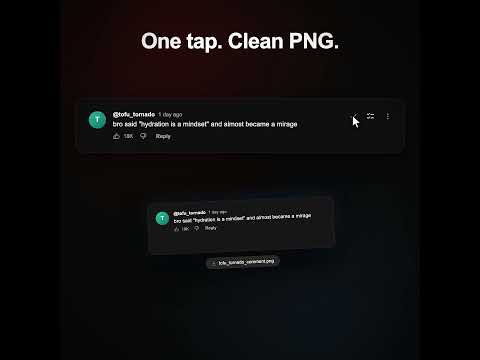
Screenshot YouTube comments — capture single or multi-comment threads, auto-save to a searchable history, and download anytime.
Capture YouTube comments as beautiful screenshots — instantly. Click the camera icon on any comment to save a pixel-perfect screenshot. Need more? Select multiple comments or entire threads and capture them together in a single image. Features: • One-click screenshot of any YouTube comment • Multi-comment & thread capture — select and screenshot multiple comments together (Pro) • Fully supports YouTube's light and dark themes • Screenshot History — all captures auto-save to a built-in gallery • Search history by author name, video title, or comment text • Filter by date (Today, This Week, This Month) and sort by newest or oldest • Bulk download or delete from your history • Clean, high-quality PNG exports with zero compression • Seamless YouTube integration — buttons blend naturally into the UI Who it's for: Content creators and video editors who need comment screenshots for videos, thumbnails, or social media posts. Or anyone who wants to capture and share funny, memorable, or noteworthy YouTube comments with friends. Pricing: Free to use with 10 screenshots per day. Upgrade once for $5 to unlock unlimited screenshots and multi-comment capture.
5 out of 52 ratings
Details
- Version1.0.2
- UpdatedJuly 21, 2026
- FeaturesOffers in-app purchases
- Offered byOstentions
- Size1.79MiB
- LanguagesEnglish (United States)
- Developer
Email
olija@ohjeyinc.com - Non-traderThis developer has not identified itself as a trader. For consumers in the European Union, please note that consumer rights do not apply to contracts between you and this developer.
Privacy

Youtube Comment Screenshot Tool has disclosed the following information regarding the collection and usage of your data. More detailed information can be found in the developer's privacy policy.
Youtube Comment Screenshot Tool handles the following:
This developer declares that your data is
- Not being sold to third parties, outside of the approved use cases
- Not being used or transferred for purposes that are unrelated to the item's core functionality
- Not being used or transferred to determine creditworthiness or for lending purposes
Support
For help with questions, suggestions, or problems, please open this page on your desktop browser