

YouTube Channel Blocker
20 ratings
)
Overview
Block unwanted YouTube channels, shorts, and keywords. Hide/show block buttons for cleaner experience.
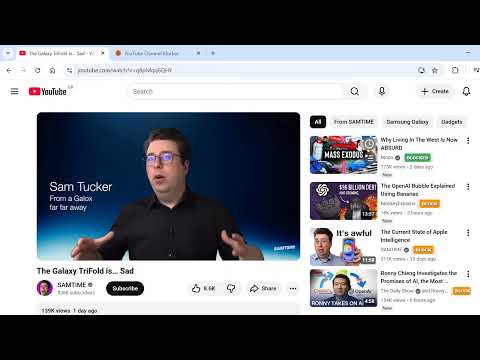
# YouTube Channel Blocker Take control of your YouTube experience! Block unwanted channels, hide Shorts, filter by keywords, block LIVE streams, and customize your feed. ## 🌟 Features ### Core Blocking Features - **Channel Blocking**: Click the red ✕ button next to any video to block that channel instantly - **Manual Blocking**: Add channels by name through the extension popup - **YouTube Shorts Blocking**: Toggle to hide all Shorts from your feed - **LIVE Stream Blocking**: NEW! Toggle to hide all LIVE streams - **Keyword Filtering**: Block videos by keywords with convenient presets: - 📰 News - 🏛️ Politics - 🎭 Drama - 💬 Gossip - 😰 Negative Content - 🎣 Clickbait - 😱 Fear-mongering ### Customization Features - **Hide Block Buttons**: Clean up your interface by hiding the red ✕ buttons - **Autoplay Control**: Toggle YouTube's autoplay feature on/off - **Hide Recommendation Boxes**: NEW! Remove "Recommendations not quite right?" prompts - **Export/Import**: Save and share your blocked channels list ## 🚀 How to Use ### Quick Start 1. Click the extension icon in your browser toolbar 2. Choose your blocking preferences with the toggle buttons 3. Browse YouTube - blocked content disappears automatically! ### Blocking a Channel **Method 1**: Click the red ✕ button next to any video on YouTube **Method 2**: 1. Open the extension popup 2. Type the channel name in the input field 3. Click "Block Channel" ### Managing Blocked Channels - View all blocked channels in the extension popup - Click "Remove" next to any channel to unblock it - Use "Clear All" to reset your entire blocklist - Export your list for backup or sharing ### Keyword Filtering 1. Click "🔍 Keywords" in the extension popup 2. Use preset categories or add custom keywords 3. Videos matching your keywords are automatically hidden ## 📋 Version 1.3.0 Updates ### New in This Version - **🔴 Block LIVE Streams**: Hide all YouTube LIVE content - **🚫 Hide Recommendation Boxes**: Remove annoying recommendation prompts - **⚡ Enhanced Performance**: Better Shorts detection and blocking - **🛡️ Improved Filtering**: More reliable keyword and content blocking ## 💡 Tips & Tricks 1. **Backup Your Settings**: Use Export before making major changes 2. **Keyword Presets**: Start with preset categories, then add custom keywords 3. **Clean Interface**: Toggle "Hide Buttons" for a cleaner YouTube experience 4. **Multiple Devices**: Export settings from one device and import on another ## 🔒 Privacy - All data is stored locally on your device - No data is sent to external servers - No tracking or analytics - Open source - you can review the code ## 🆘 Support Having issues or suggestions? - Report bugs through the Chrome Web Store support page - Check the CHANGELOG.md for recent updates - Ensure you're running the latest version ## ☕ Support Development If you find this extension helpful, consider supporting development: - Leave a ⭐⭐⭐⭐⭐ review on the Chrome Web Store - Click the ☕ Donate button in the extension - Share with friends who need better YouTube control ## 📝 Permissions Explained - **storage**: Save your blocked channels and settings - **host_permissions (youtube.com)**: Detect and hide blocked content on YouTube --- **Version**: 1.3.0 **Last Updated**: 2024 Enjoy a cleaner, more personalized YouTube experience! 🎉
3.8 out of 520 ratings
Details
- Version1.3.0
- UpdatedJune 15, 2026
- Offered byRamon Pouso
- Size35.8KiB
- LanguagesEnglish
- DeveloperRamon Pouso
Herenstraat 5 Bussum 1404 HA NLEmail
ramonpouso@gmail.com - Non-traderThis developer has not identified itself as a trader. For consumers in the European Union, please note that consumer rights do not apply to contracts between you and this developer.
Privacy

This developer declares that your data is
- Not being sold to third parties, outside of the approved use cases
- Not being used or transferred for purposes that are unrelated to the item's core functionality
- Not being used or transferred to determine creditworthiness or for lending purposes
Support
For help with questions, suggestions, or problems, please open this page on your desktop browser