

YouTube Bookmarks

Overview
Bookmark and annotate specific moments in YouTube videos with timeline ranges and notes
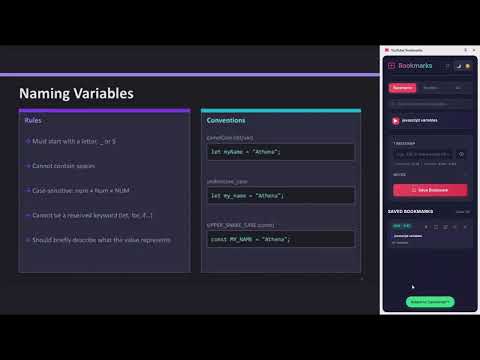
**YouTube Bookmarks - Never Lose Your Place Again!** Transform how you watch and learn from YouTube videos with powerful bookmarking features. **KEY FEATURES:** ✨ Single Timestamp Bookmarks — Mark important moments (e.g., 2:30) 📍 Timeline Range Bookmarks — Save entire sections (e.g., 2:30 - 2:45) 🎵 Custom Playlists — Group timeline bookmarks into playlists and play them back automatically 🔀 Shuffle & Loop — Shuffle your playlist or loop it continuously 🔁 Section Loop — Replay any timeline range on repeat 📝 Notes — Describe what's happening at each bookmark 🎯 Visual Markers — See all your bookmarks on the YouTube progress bar 📚 All Bookmarks View — See every bookmark you've saved across all videos in one place 🔍 Instant Search — Quickly find any bookmark by video title, timestamp, or note 🌙 Light & Dark Mode — Switch themes to match your preference 🔄 One-Click Refresh — Resync the panel with your current video instantly 💾 Auto-Save — Bookmarks persist across sessions and videos 🎨 Modern Interface — Clean, dark-themed side panel **HOW IT WORKS:** Navigate to any YouTube video 1. Click the extension icon to open the side panel 2. To save a specific time, enter a timestamp (e.g. 2:30) or leave it blank to capture the current video time, then click Save Bookmark 3. To save a range, enter a timeline (e.g. 2:30 - 3:30) and click Save Bookmark 4. To loop a range, click the loop icon on a timeline bookmark 5. Add timeline bookmarks to a playlist and hit Play All for automatic sequential playback 6. To add or edit notes, click the pencil icon on any bookmark 7. To see all your bookmarks across every video, click the All tab 8. Use the search bar to instantly find any bookmark by title, time, or note 9. Toggle between Light and Dark mode using the theme buttons in the header 10. Hit the refresh button to resync the panel if you switch videos **PRIVACY FIRST:** ✅ No data collection ✅ Everything stored locally ✅ No external servers ✅ No tracking or analytics
0 out of 5No ratings
Details
- Version1.3.0
- UpdatedApril 1, 2026
- Size34.02KiB
- LanguagesEnglish
- Developer
Email
petrinaropra33@gmail.com - Non-traderThis developer has not identified itself as a trader. For consumers in the European Union, please note that consumer rights do not apply to contracts between you and this developer.
Privacy

This developer declares that your data is
- Not being sold to third parties, outside of the approved use cases
- Not being used or transferred for purposes that are unrelated to the item's core functionality
- Not being used or transferred to determine creditworthiness or for lending purposes