


Overview
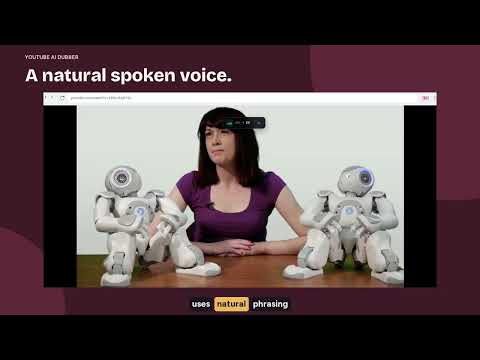
Realtime AI voice dubbing for YouTube videos with subtitles. Server voices in 50+ languages. Free minutes with sign-in.
Stop reading subtitles. Start actually watching. You open a YouTube video. The speaker explains something important while showing code, a diagram or a map on screen. But you can't read subtitles and watch the visuals at the same time. You have to choose: miss what's on screen, or miss what's being said. YouTube AI Dubber solves this. Instead of turning the text into subtitles, it generates real AI voice dubbing in your language, in realtime, right inside the YouTube player. You hear the video. You watch the screen. You understand everything. ⚡ GET STARTED IN 60 SECONDS 1. Click "Add to Chrome" to install the extension. 2. Open any YouTube video that has subtitles. 3. Choose your target language and a voice in the extension panel. 4. Sign in for Free Online, or activate your existing license, and start dubbing. Free Online requires an account sign-in and includes 30 minutes per 24 hours and 120 minutes per 7 days for the YouTube extension. Each window starts on first use, and both limits apply. A valid PRO trial unlocks premium voices without using your Free Online minutes. Active paid access removes both Free Online limits. Existing valid licenses keep working without another purchase. Voice samples are available before you sign in or buy. WHAT YOU GET 🎙️ Real AI voice dubbing, not just subtitles Other tools show translated text on screen. This extension speaks it. It's the difference between reading a foreign film with subtitles and hearing it fully dubbed. 🌍 50+ languages Spanish, Turkish, Hindi, Japanese, Arabic, German, French, Portuguese, Korean, Vietnamese, Italian, Dutch, Polish, Swedish and 35+ more. 🔊 Server voices Free Online uses a free server voice. PRO adds premium server voices and built-in AI subtitle translation. 🔑 Gemini voices with your own key (PRO) Prefer Google's Gemini voices? Add your own Gemini API key and pick a voice and style. Requests go from your browser straight to Google and are billed to your Google account. They don't use the extension's minutes. 💾 Saved dubbing and subtitle edits Your saved dubbing, subtitle edits and caches stay in your dubbing library, and you can replay them. Cached audio may be reused, but replay isn't guaranteed. 🎚️ Full control over playback Adjust the dubbing volume independently from the original audio. Switch between dubbed audio and subtitles only. Mute the original and hear only the dubbed version. HOW IT WORKS The extension reads the subtitles available on the YouTube video, either captions uploaded by the creator or YouTube's auto-generated ones. It translates them with AI translation, then generates natural-sounding voice on our servers in short segments while you watch. An internet connection and an available subtitle track are required. Realtime dubbing doesn't create a complete audio track to export. Videos without any subtitle track can't be dubbed, because the extension doesn't transcribe the audio. WHO THIS IS FOR → People who watch tutorials, lectures and educational videos in a language they don't fully understand, and don't want to miss what's on screen. → Learners who want to hear natural, real-world speech in the target language, from real YouTube creators. → Researchers, journalists and professionals who follow international conferences, talks, interviews and news in other languages. → Anyone who has ever paused a video just to finish reading a subtitle. SUPPORTED LANGUAGES Spanish, French, German, Italian, Portuguese (Brazil and Portugal), Dutch, Polish, Turkish, Russian, Ukrainian, Arabic, Hebrew, Persian, Hindi, Bengali, Urdu, Tamil, Telugu, Kannada, Malayalam, Gujarati, Marathi, Indonesian, Malay, Filipino, Vietnamese, Thai, Korean, Japanese, Chinese Simplified, Chinese Traditional, Swedish, Norwegian, Danish, Finnish, Estonian, Latvian, Lithuanian, Greek, Czech, Slovak, Romanian, Hungarian, Bulgarian, Croatian, Serbian, Slovenian, Catalan, Swahili and more. Voice availability varies by language. FREQUENTLY ASKED QUESTIONS ❓ Does it work on any YouTube video? 💡 It works on any video with an available subtitle track, either manual or auto-generated. Videos with no subtitles can't be dubbed. ❓ Is my data safe? 💡 Subtitle text is sent to our servers for translation and speech generation. Free Online requires an account sign-in. Saved results and settings stay in your browser. If you use Gemini voices, your API key stays in the browser and is never sent to our servers. See the privacy policy for details. ❓ What if the voice speaks the wrong language? 💡 Choose the correct target language and an available voice in the extension. You can play a sample before signing in or buying. Voice availability varies by language. ❓ How long does generation take? 💡 Voices are generated in realtime while you watch. Startup depends on the subtitle track, your connection and server load. ❓ Found a bug or want to suggest a feature? 💡 Use the feedback form in the extension panel. I read every message personally and reply. Install now → Open any YouTube video → Hear it in your language.
4.1 out of 520 ratings
Details
- Version4.0.1
- UpdatedNovember 7, 2026
- FeaturesOffers in-app purchases
- Size75.15MiB
- Languages53 languages
- DeveloperWebsite
Email
oleg.pharo@gmail.com - Non-traderThis developer has not identified itself as a trader. For consumers in the European Union, please note that consumer rights do not apply to contracts between you and this developer.
Privacy

This developer declares that your data is
- Not being sold to third parties, outside of the approved use cases
- Not being used or transferred for purposes that are unrelated to the item's core functionality
- Not being used or transferred to determine creditworthiness or for lending purposes
Support
For help with questions, suggestions, or problems, visit the developer's support site