

YouTube Ad Accelerator & Easy Speed Drag

Visão geral
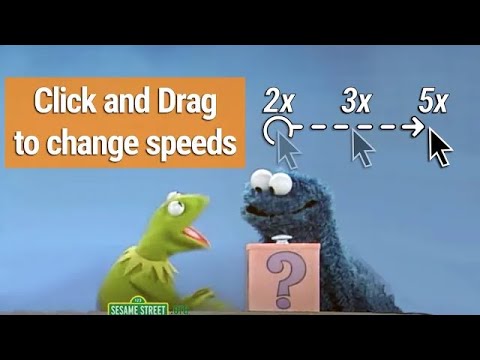
Speed up YouTube Ads by 16x, and control the speed of YouTube videos by clicking & dragging left/right anywhere on the video.
✅ YouTube Ads will be accelerated & skipped automatically ------------------------------ PLEASE READ IN REGARDS TO AD-SKIPPING: This extension can still skip video ads, even after YouTube's recent update (May 2025). Since the ads aren't technically "blocked", it bypasses most of YouTube's Anti-Ad-Block measures. But YouTube is always trying new things. If the extension runs into an ad that it cannot auto-skip, it will make the "Skip" button the size of the entire video for you, making it super easy to click. ------------------------------ - YouTube Speed Controls: ------ ⏩ Click and hold anywhere on a video to play at 2x speed while the click is held down ➡️ Drag right for faster speeds ⬅️ Drag left for slower speeds 🔼 Release the click to return to normal speed ⬇️ Or, drag down before releasing to continue watching at that speed YouTube AdBlock Features: ------ ⚡Auto Ad Speed-Up - YouTube ads are fast-forwarded at 16x speed 👇 Auto Ad Skip - The skip button is pressed the second it appears to skip the ad as soon as possible 🙈 Disappearing Ads - In total, YouTube ads are skipped and disappear in less than half a second 🚫 Not Actually Ad-Block - since this doesn't technically block the ads, YouTube still thinks you are watching them, which gets around many of YouTube's anti-Ad Block features YouTube Speed Control Features: ------ ⏭️ Skim Over The Boring Stuff - Quickly skim over boring or sponsored content 👌 Set The Perfect Speed - By far the easiest way to change speed settings on YouTube 🎛️ Customize To Your Tastes - Set custom speed levels you prefer in the menu, anywhere from 0.1x to 16x (full range that YouTube supports for speed control) 🧠 Incredibly Intuitive - Works exactly how you expect it to work 🥷 Never In Your Way - Adds speed control features but does not interfere with any native YouTube features Hotkeys For YouTube Speed Control : ------ 🔬 Micro Speed Adjustments - Tap comma or period to adjust the speed up or down by 5% 👇 Hold - Hold down either hotkey to play at the custom speed you selected in the settings ⏩ Double - Tap-hold to play at twice the custom video speed you selected in the settings (so if you've selected 5x speed, double-tap-hold will play the video at 10x) What Else? - ✅ Works on embedded youtube videos ✅ Minimal Permissions ✅ No data collection ✅ No ads or monetization
4,5 de 563 notas
Detalhes
- Versão3.52.6
- Atualização9 de junho de 2025
- Tamanho557KiB
- Idiomas7 idiomas
- DesenvolvedorWebsite
E-mail
davidschiller138@gmail.com - Não negocianteEsse desenvolvedor não se identificou como comerciante. Caso você seja da União Europeia, observe que os direitos do consumidor não se aplicam a contratos firmados entre você e esse desenvolvedor.
Privacidade

O desenvolvedor declara que seus dados
- Não são vendidos a terceiros, exceto nos casos de uso aprovados
- Não são usados ou transferidos para fins não relacionados à função principal do item
- Não são usados ou transferidos para informações de crédito ou empréstimo
Suporte
Para receber ajuda com perguntas, sugestões ou problemas, abra esta página no seu navegador para computador