


Overview
Turn Canvas, D2L, YouTube, and websites into summaries, quizzes, flashcards, and exams with YouLearn.
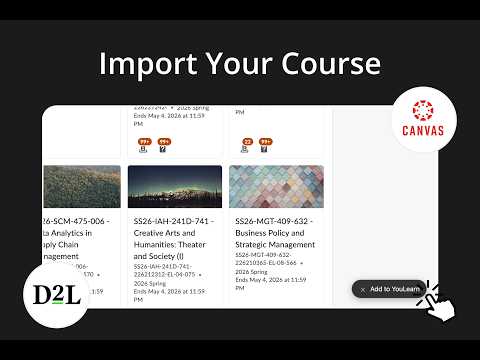
An AI tutor made for you. Turn your Canvas or D2L course materials into an AI podcast, video, summary, quiz, flashcards, and practice exams, instantly. Just pick your class, select the topics you want, choose a Space (or create a new one), and YouLearn imports everything for you. You can also add content from YouTube, websites, and public files to learn the same way. Install this Chrome extension to instantly add content to YouLearn, no more switching tabs, copying URLs, or wasting time. Just one click, and you're ready to learn. Note: Make sure you’re signed in to your YouLearn account before adding content. Three ways to add content to YouLearn: 1) Canvas or D2L course content 1. Open Canvas or D2L in your browser 2. Click the “Add to YouLearn” button in the bottom right 3. Select your course 4. Choose the topics you want to import 5. Select the Space to add it to (or create a new one) 6. YouLearn adds everything automatically, ready for the AI study tools 2) YouTube videos and public PDFs 1. Open any YouTube video or public PDF 2. Click the “Add” button in the bottom right 3. Start learning with YouLearn 3) Websites (if the “Add” button doesn’t appear) 1. Visit any website 2. Click the YouLearn Chrome Extension icon 3. Start learning with YouLearn
5 out of 518 ratings
Details
- Version1.3.0
- UpdatedMarch 6, 2026
- FeaturesOffers in-app purchases
- Size58.96KiB
- LanguagesEnglish
- DeveloperYouLearnWebsite
635 Division St East Lansing, MI 48823-3428 USEmail
hello@youlearn.aiPhone
+1 616-566-9417 - TraderThis developer has identified itself as a trader per the definition from the European Union and committed to only offer products or services that comply with EU laws.
- D-U-N-S107689439
Privacy

YouLearn has disclosed the following information regarding the collection and usage of your data. More detailed information can be found in the developer's privacy policy.
YouLearn handles the following:
This developer declares that your data is
- Not being sold to third parties, outside of the approved use cases
- Not being used or transferred for purposes that are unrelated to the item's core functionality
- Not being used or transferred to determine creditworthiness or for lending purposes
Support
For help with questions, suggestions, or problems, visit the developer's support site