


Visão geral
Online Logo Maker for create high quality vector logo, headings, icons, web elements and buttons on html5 canvas.
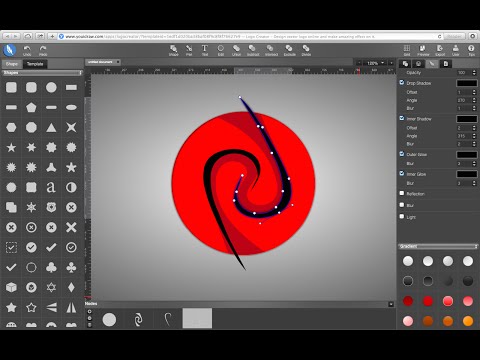
A online logo maker for creating high quality vector graphics, headings, logos, icons, web site elements and buttons. Use the result with various other graphic and text editor and web design programs. Highlight Function: 1. Template We provide hundreds of icons lib and made many templates for text, shapes and logos. If you’re not a professional designer, just use our resource to make your design easily. 2. Quick Style When you add a text or shape, you can use our quick style to set color and effect to text and shape easily. 3. Easy create text & shapes: Use shapes and text button create a shape into canvas: rectangle, round-corner rectangle, ellipse, convex, concave, gear. 4. Text & Shape Effects Fill: Set color, gradient or pattern for your design; Stroke: The Solid, Dotted, Dashed, DashDoted four types stroke; Opacity; Drop Shadow / Inner Shadow; Outer Glow / Inner Glow; Reflection & Blur effect; Light Effect: 3 different light onto your shape or text to get more amazing artistic effect. 5. SVG edit: Change to edit mode, you can see some point on it, Click and drag the point to change position, or double click to change the point to curve. Use the assist point to change curve, or hold “command” or “control” key to adjust one of two assist point. 6. Transform: Change Size, Position, Scale, Skew and Rotate for your shape or text. Align for multiple shapes at once. Adjust order for shapes, take it forward or backward, to top or bottom. 7. Shape combine Five different combine mode: Union / Subtract / Intersect / Exclude / Divide 8. Export and Download Export your design to SVG, PDF, PNG, JPG, etc,. Share to our template library to get high rank and followers.
3,2 de 5371 notas
Detalhes
- Versão1.0.3
- Atualização3 de dezembro de 2019
- Tamanho18.78KiB
- IdiomasEnglish (United States)
- Desenvolvedor
- Não negocianteEsse desenvolvedor não se identificou como comerciante. Caso você seja da União Europeia, observe que os direitos do consumidor não se aplicam a contratos firmados entre você e esse desenvolvedor.
Privacidade

Suporte
Para receber ajuda com perguntas, sugestões ou problemas, abra esta página no seu navegador para computador