Item logo image for yeet.md

yeet.md

Item media 3 (screenshot) for yeet.md
Item video thumbnail
Item media 2 (screenshot) for yeet.md
Item media 3 (screenshot) for yeet.md
Item video thumbnail
Item media 2 (screenshot) for yeet.md
Item media 3 (screenshot) for yeet.md

Overview

Paste Markdown, get a link. Publish snapshots to yeet.md from anywhere in your browser.

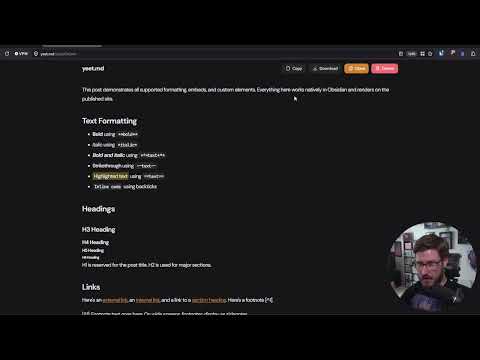
yeet.md is a free Markdown sharing tool. This extension lets you publish Markdown to yeet.md from anywhere in your browser without opening a new tab or breaking your flow. How to use it: • Click the toolbar icon (or press Alt+Shift+N) to drop a small textarea over any page. Paste your Markdown, hit Ctrl+Enter, and the published URL is copied to your clipboard automatically. • Right-click any selected text on any webpage and choose "Publish selection to yeet.md" — no popup needed. • Hit Ctrl+Shift+Enter (or click "Open in editor") to send your buffer to the full yeet.md editor with your text prefilled. Immutable snapshots: every published link is a permanent point-in-time snapshot. To change content, you publish a new snapshot. The original URL keeps showing exactly what it showed when you shared it, so anyone you've already sent a link to sees what they expect. Privacy: the extension never reads page content automatically. It only sees text you explicitly paste into its popup or highlight before right-clicking. No accounts, no tracking, no analytics, no telemetry. The only network requests it makes are to https://yeet.md/api/share when you publish. yeet.md is by David V. Kimball — davidvkimball.com.

Details

  • Version
    0.1.0
  • Updated
    April 14, 2026
  • Size
    32.4KiB
  • Languages
    English (United States)
  • Developer
    Website
    Email
    support@yeet.md
  • Non-trader
    This developer has not identified itself as a trader. For consumers in the European Union, please note that consumer rights do not apply to contracts between you and this developer.

Privacy

Manage extensions and learn how they're being used in your organization

yeet.md has disclosed the following information regarding the collection and usage of your data. More detailed information can be found in the developer's privacy policy.

yeet.md handles the following:

Website content

This developer declares that your data is

  • Not being sold to third parties, outside of the approved use cases
  • Not being used or transferred for purposes that are unrelated to the item's core functionality
  • Not being used or transferred to determine creditworthiness or for lending purposes

Support

For help with questions, suggestions, or problems, visit the developer's support site

Related

Link Extractor V2

4.0

Extracts all links from a page and copies them to the clipboard.

Copy URL To Clipboard

3.7

Copy document URL / link URL to clipboard as HTML, Markdown, Text etc.

Open in Popup Window

4.5

Open any links and images in a popup window

Save HTML as Markdown

5.0

A browser extension to save HTML pages to markdown.

send/links

5.0

Save links to send/links in one click.

Promtlo: AI Prompt Shortcuts

5.0

Type //shortcut to paste saved prompts anywhere on the web. Works in ChatGPT, Claude, Gemini, Gmail, Notion and more.

CopyCat — Smart Copy & OCR

0.0

Snip any area to OCR text from images, copy all page text, grab selections, or extract links. By Aleph Creative.

Enable Copy Paste Extension

5.0

Enable copy paste on websites that have disabled copy paste

Copy Multiple Tab Links

5.0

Copy URLs (and titles) for highlighted tabs, all tabs in this window, or all windows—formatted as plain text, Markdown, or HTML.

stURLizer

4.7

Rid query parameters from page URLs and links, copy them to the clipboard, or open the cleaned link in a new tab

Link Previewer

4.0

Quickly preview the content of a link by just hovering it.

Copy as Markdown

4.3

Copy Link or Image as Markdown code

Link Extractor V2

4.0

Extracts all links from a page and copies them to the clipboard.

Copy URL To Clipboard

3.7

Copy document URL / link URL to clipboard as HTML, Markdown, Text etc.

Open in Popup Window

4.5

Open any links and images in a popup window

Save HTML as Markdown

5.0

A browser extension to save HTML pages to markdown.

send/links

5.0

Save links to send/links in one click.

Promtlo: AI Prompt Shortcuts

5.0

Type //shortcut to paste saved prompts anywhere on the web. Works in ChatGPT, Claude, Gemini, Gmail, Notion and more.

CopyCat — Smart Copy & OCR

0.0

Snip any area to OCR text from images, copy all page text, grab selections, or extract links. By Aleph Creative.

Enable Copy Paste Extension

5.0

Enable copy paste on websites that have disabled copy paste

Google apps