Item logo image for Ye Olde Substack

Ye Olde Substack

Item media 4 (screenshot) for Ye Olde Substack
Item video thumbnail
Item media 2 (screenshot) for Ye Olde Substack
Item media 3 (screenshot) for Ye Olde Substack
Item media 4 (screenshot) for Ye Olde Substack
Item video thumbnail
Item media 2 (screenshot) for Ye Olde Substack
Item media 3 (screenshot) for Ye Olde Substack
Item media 4 (screenshot) for Ye Olde Substack

Overview

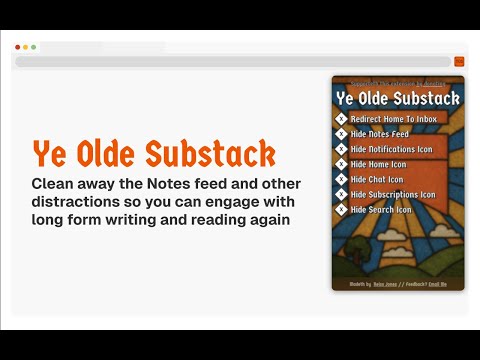
Use Substack for it's original intention by blocking out distracting UI elements, so you can read and write long-form content!

Remember Old Substack? It's back! Take control of Substack's user interface, and remove distractions like notifications, the Notes feed and the Home page using Ye Olde Substack, so you can focus on reading and writing long form newsletters, essays and articles. The settings are fully configurable, allowing you modify exactly what you see when you load Substack on your browser. 100% free. No data tracking and no ads. If you'd like to see more features, such as more richly embedded and interact-able artwork in Substack posts consider donating to make it happen. Link is in the extension popup.

Details

  • Version
    1.01
  • Updated
    June 1, 2025
  • Size
    1.14MiB
  • Languages
    English
  • Developer
    REISS ALFRED JONES
    Unit 152301, Box 7169 Poole BH15 9EL GB
    Website
    Email
    contact@reissjones.com
    Phone
    +44 7444 105813
  • Trader
    This developer has identified itself as a trader per the definition from the European Union and committed to only offer products or services that comply with EU laws.

Privacy

The developer has disclosed that it will not collect or use your data. To learn more, see the developer’s privacy policy.

This developer declares that your data is

  • Not being sold to third parties, outside of the approved use cases
  • Not being used or transferred for purposes that are unrelated to the item's core functionality
  • Not being used or transferred to determine creditworthiness or for lending purposes

Support

Related

Better comments for GitHub

0.0

A chrome extension that will enhance the GitHub native comment editor with a more powerful wysiwyg block based editor

LinkedIn Text Formatter

3.0

A Chrome plugin to format LinkedIn posts with bold, italic, underline styles, makes your posts stand out and readable.

Youtube Redesign

5.0

Extension based on the Juxtopposed Youtube UI redesign

BlueA11y

5.0

Easily see alt text on Bluesky. Get tips on accessible text.

Inspect Element

5.0

Use Inspect element – a CSS viewer with Chrome inspect element shortcut. Learn how to inspect element easily using this simple tool!

Substack Banner Fixer

5.0

Prevents the Substack banner from re-appearing when you scroll. Now also prevents the subcribe nag popup.

Chrome Reader Mode

3.9

Reader Mode Chrome extension offers distraction-free reading. It removes clutter, ads allowing users to focus on the content

Outliner CSS

4.5

A totally awesome structure and layout debugger that inserts CSS outlines to all elements.

Pundit Annotator

3.6

Annotate the web using Pundit Annotator: highlight and comment text on any page and manage your annotations in the Pundit Dashboard.

Unclutter — Modern Reader Mode

4.8

Read, bookmark, and highlight articles with style.

Annotate web pages/CONTEXT

3.5

Use this extension to annotate (edit, highlight, popup/embedded notes & page notes) your web-pages.

Notepad

5.0

A simple text editor that supports editing plain text and Markdown format preview directly in the browser.

Better comments for GitHub

0.0

A chrome extension that will enhance the GitHub native comment editor with a more powerful wysiwyg block based editor

LinkedIn Text Formatter

3.0

A Chrome plugin to format LinkedIn posts with bold, italic, underline styles, makes your posts stand out and readable.

Youtube Redesign

5.0

Extension based on the Juxtopposed Youtube UI redesign

BlueA11y

5.0

Easily see alt text on Bluesky. Get tips on accessible text.

Inspect Element

5.0

Use Inspect element – a CSS viewer with Chrome inspect element shortcut. Learn how to inspect element easily using this simple tool!

Substack Banner Fixer

5.0

Prevents the Substack banner from re-appearing when you scroll. Now also prevents the subcribe nag popup.

Chrome Reader Mode

3.9

Reader Mode Chrome extension offers distraction-free reading. It removes clutter, ads allowing users to focus on the content

Outliner CSS

4.5

A totally awesome structure and layout debugger that inserts CSS outlines to all elements.

Google apps