


Ringkasan
Highlight Web pages; stored in your browser bookmarks, searchable, and recreated automatically when you revisit a page
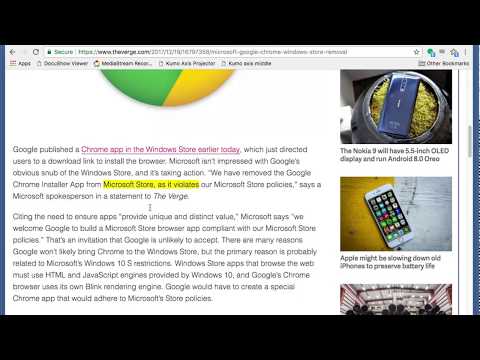
Yawas lets you highlight and comment web pages in multiple colors. Your highlights are stored in the built-in Chrome Bookmarks API (you need to check Sync if you want them to be synchronized across all your devices). Yawas automatically recreates the highlights when you reopen web pages. All functions are available from the context-menu (Ctrl-Shift-Y for Yellow) To highlight, simply select some text and choose the color from the context menu. To add a note or comment, mouse over an existing highlight and pick "Add Note" (or the keyboard shortcut -N). To recolor or delete a highlight, select some of its text and choose another color or "Delete" from the context-menu. You can also quickly search all your bookmarks with "Yawas - Search" or edit the current page's highlights using "Yawas - Edit".
3,4 dari 5194 rating
Detail
- Versi7.4.0
- Diupdate16 Maret 2022
- Ukuran51.02KiB
- BahasaEnglish
- DeveloperSitus Web
Email
ldenoue@gmail.com - Non-pedagangDeveloper ini tidak mengidentifikasi diri sebagai pedagang. Bagi konsumen di Uni Eropa, perlu diperhatikan bahwa hak konsumen tidak berlaku untuk kontrak antara Anda dan developer ini.
Privasi

Developer ini menyatakan bahwa data Anda
- Tidak dijual ke pihak ketiga, di luar kasus penggunaan yang disetujui
- Tidak digunakan atau ditransfer untuk tujuan yang tidak terkait dengan fungsi inti item
- Tidak digunakan atau ditransfer untuk menentukan kelayakan kredit atau untuk tujuan pinjaman
Dukungan
Untuk mendapatkan bantuan terkait pertanyaan, saran, atau masalah, buka halaman ini di browser desktop Anda