


Descripción general
XSLT test utility that supports XSLT 1.0, 2.0 and 3.0.
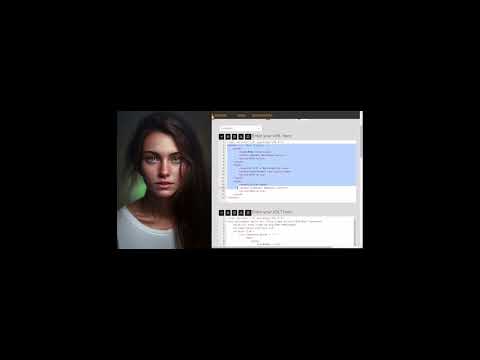
This XSLT tester is a simple tool to quickly, and easily, transform your XML using your XSLT stylesheets from code that you paste into the tester . It lets you test your XSLT XSL (eXtensible Stylesheet Language Transformation) stylesheets. Simply paste your XML and XSLT, and then click "Run Transform". Your transformation result will appear in the result area. Error messages are displayed when there are transformation errors. This tool is useful if you : - want a quick way to test your XSLTs - prototype XSLTs, and try out new ideas quickly from your browser - learn how to code XSLTs - check that your XML and XSLTs are well-formed Features: - available as an icon on your toolbar - preview transformed html in modal dialog - load your XML and XSLTs from files by using the file open buttons. - the XML/XSLT editors check that your XML and XSLTs are well-formed, and will highlight any errors. Transformation errors are shown above the result area. - the result editor will guess the mode of your transformation result, where possible, and check your result code. E.g., XML, HTML, JSON, text, etc. - the current state is remembered by your browser so your selections will apply when you open the extension again. - provides links to other tools from LinangData, the LinangData home page, and the LinangData YouTube channel
0 de 5Sin valoraciones
Detalles
- Versión1.0.2
- Actualizado18 de marzo de 2023
- Tamaño2.47MiB
- IdiomasEnglish (United States)
- DesarrolladorSitio web
Correo electrónico
info@linangdata.com - No operadorEste desarrollador no se ha identificado como operador. Los consumidores residentes en la Unión Europea deben tener en cuenta que los derechos de los consumidores no son aplicables a los contratos que suscriban con este desarrollador.
Privacidad

Este desarrollador declara que tus datos:
- No se venden a terceros, excepto en los casos de uso aprobados
- No se usan ni se transfieren para fines no relacionados con la función principal del elemento.
- No se usan ni se transfieren para determinar la situación crediticia ni para ofrecer préstamos.
Ayuda
Si tienes alguna pregunta, sugerencia o problema, abre esta página en tu navegador para ordenadores