

xFill - Automated form filler
1 rating
)
Overview
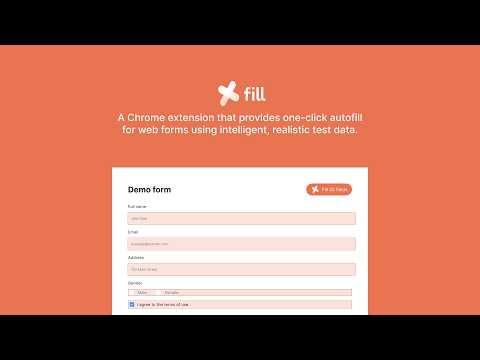
One-click autofill for forms using intelligent test data
xFill – Smart Form Filler for Testers Description xFill is a lightweight Chrome extension built for testers, QA engineers, and developers to automatically fill web forms with intelligent, context-aware mock data. With just one click, xFill analyzes your form and fills it with realistic, valid data — eliminating repetitive manual input and speeding up your testing workflow. Key Features - One-click autofill: Fill entire forms instantly with a single click. Supports fullName, email, phone number,.... - Context-aware data generation: Automatically detects field types using attributes like name, label, and placeholder to generate suitable data such as names, emails, phone numbers, dates, addresses, URLs, passwords, and more. - Multi-language support: Generate test data in different languages and locales to support international testing scenarios. - Realistic and valid data: Ensures generated data follows real-world formats to improve validation testing and catch edge cases. Who is this for - QA engineers and testers - Developers testing forms - Product teams performing manual or exploratory testing Use Cases - Speed up regression testing - Quickly populate long or complex forms - Test validation rules and edge cases - Simulate user data across multiple regions Privacy and Security xFill runs entirely in your browser. No data is collected, stored, or transmitted externally. How to Use 1. Install xFill 2. Open any webpage with a form 3. Click the xFill icon 4. The form is filled instantly
5 out of 51 rating
Details
- Version1.0.1
- UpdatedApril 24, 2026
- Offered bythangved
- Size359KiB
- LanguagesEnglish
- Developer
Email
contact@thangved.com - Non-traderThis developer has not identified itself as a trader. For consumers in the European Union, please note that consumer rights do not apply to contracts between you and this developer.
Privacy

This developer declares that your data is
- Not being sold to third parties, outside of the approved use cases
- Not being used or transferred for purposes that are unrelated to the item's core functionality
- Not being used or transferred to determine creditworthiness or for lending purposes
Support
For help with questions, suggestions, or problems, please open this page on your desktop browser