

概述
Automates Xero payments reconciliation
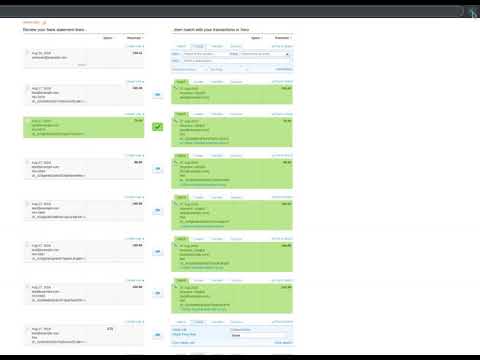
Xero Reconcile Robot automates the time-consuming process of reconciling Xero payments. It checks matches suggested by Xero and clicks the OK button for you for those that match perfectly. Simply press the Start button when you are on the Bank reconciliation page of your Xero account. The Xero Reconcile Robot will click those pesky "OK" buttons ONLY AND ONLY IF it confirms one of the two following cases: 1) the suggested match has a reference code that perfectly matches on both sides 2) Xero suggested to create a new transaction based on a matching Bank Rule The Xero Reconcile Robot was create to be used along with Stripe and Stripe Direct Feeds in Xero, to create a perfect accounting integration for businesses using Stripe or any automated payment processor. This way, you can automatically handle thousands of transactions each day and have your books in perfect shape. More information on Stripe Direct Feeds in Xero can be found on this page: https://central.xero.com/s/article/Stripe-direct-feeds If you need help using the Robot or you have any suggestions, please reach out, or read the post from our blog (click on "Support" link above or visit this page: https://www.yodeck.com/news/integrating-xero-and-stripe-with-our-saas ). Made with love by yodeck.com -- the top Digital Signage platform Note: You will need to refresh any already opened Xero reconciliation page after you have installed the extension.
5 星(5 星制)9 个评分
详情
隐私权

该开发者已声明,您的数据:
- 不会因未获批准的用途出售给第三方
- 不会为实现与产品核心功能无关的目的而使用或转移
- 不会为确定信用度或放贷目的而使用或转移
支持
若有任何疑问、建议或问题,请在桌面浏览器中打开此页面