


Overview
Send bulk follow-up messages on Pancake CRM via natural UI interaction. Campaigns, scheduling, and tag-based targeting.
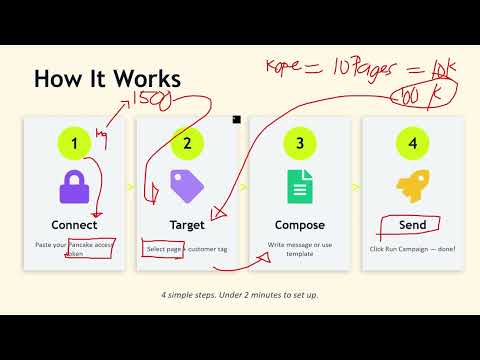
X24H Outbound™ automates bulk follow-up messaging on Pancake CRM through browser UI interaction. Send personalized messages to hundreds of customers based on tag filters, date ranges, and campaign rules. HOW IT WORKS X24H sends messages by automating the Pancake web interface — it navigates to each conversation, types your message naturally (character by character with human-like delays), and presses Enter to send. Messages are delivered from your logged-in Pancake session, exactly as if you typed them yourself. KEY FEATURES • Tag-based targeting: select which customers to message by Pancake conversation tags • Exclude filters: skip customers with specific tags (e.g., already contacted) • Date range filters: target conversations from a specific time period • 40+ message templates with variable replacement: {FIRST_NAME}, {GENDER_TITLE}, spin text • Human-like typing: configurable delay between characters and between messages (3-10 seconds) • Campaign scheduling: one-time or recurring (every 6h, 12h, 24h, weekly) • Parallel page execution: each page gets its own tab for simultaneous delivery • Auto-tag after send: automatically tag/untag conversations after message delivery • Customer notes: logs "message sent via X24H" on each customer's Pancake profile • Campaign history with delivery statistics and analytics • Quick Reply shortcuts: type /SHORTCUTNAME in Pancake chat to load saved templates SAFETY FEATURES • Configurable delays between messages (minimum 3 seconds recommended) • Process limit per session (recommended: 200-300 messages) • Warm-up guidance for new pages (start with 50/day) • Real-time progress monitoring with pause/stop controls REQUIREMENTS • Active Pancake CRM account with page admin access • Must be logged into Pancake (pages.fm or pancake.ph) in a browser tab • Automatika subscription (PHP 999/month, managed via Google Sign-In) PRIVACY • Messages are sent through your own Pancake session — never through our servers • Only campaign metadata (delivery count, success rate) is sent to our backend for analytics • No message content or customer data leaves your browser • Google Sign-In is used solely for authentication • Campaign history and templates are stored locally in your browser • No data is sold or shared with third parties HOW IT DIFFERS FROM API MESSAGING Platform messaging APIs have a 24-hour response window limitation. X24H uses browser UI automation instead, sending messages from your logged-in session. This means messages are delivered as regular chat messages with no platform restrictions on timing. DEVELOPER Built by Automatika (automatika.ph) — independent developer tools for Pancake CRM sellers in the Philippines. Changelog ## [2.2.57] - 2026-05-23 - Tightened retired staff variable cleanup so old signature lines with extra trailing text are removed cleanly instead of leaving orphan punctuation.
5 out of 53 ratings
Details
- Version2.2.102
- UpdatedSeptember 6, 2026
- Size984KiB
- LanguagesEnglish
- Developer
- Non-traderThis developer has not identified itself as a trader. For consumers in the European Union, please note that consumer rights do not apply to contracts between you and this developer.
Privacy

X24H Outbound™ has disclosed the following information regarding the collection and usage of your data. More detailed information can be found in the developer's privacy policy.
X24H Outbound™ handles the following:
This developer declares that your data is
- Not being sold to third parties, outside of the approved use cases
- Not being used or transferred for purposes that are unrelated to the item's core functionality
- Not being used or transferred to determine creditworthiness or for lending purposes
Support
For help with questions, suggestions, or problems, please open this page on your desktop browser