

Save Image As PNG, JPG, PDF - WebP & AVIF Converter

Overview
Save any image as PNG, JPG or PDF in 1 click. Converts WebP & AVIF via right-click or Alt+Click. 100% local, no uploads.
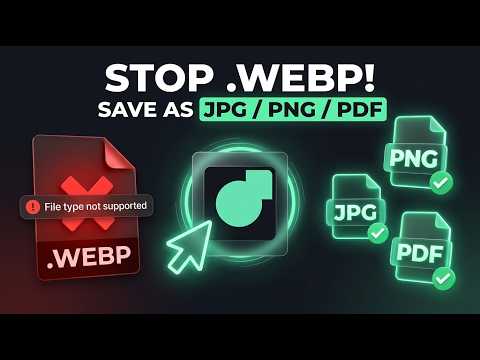
Save any image as PNG, JPG or PDF in one click. Convert WebP to JPG, WebP to PNG, AVIF to JPG and AVIF to PNG straight from the page: right-click the image and choose a format. No converter website, no uploads. Chrome often saves pictures as .webp or .avif, and Photoshop (before 23.2), Lightroom, older Office, Canva uploads, job portals, marketplaces and government forms reject them with “invalid file type”. Renaming .webp to .jpg doesn’t work because the file is still WebP inside. WebP Clipper re-encodes the image properly, entirely inside your browser. ★ What you can do • Right-click any image → Save as PNG, JPG, WebP or PDF • Save image as PDF: a single-page PDF, ready to print or attach • Auto mode: PNG when the image has transparency, JPG for photos • No black backgrounds: transparent WebP/AVIF → JPG gets clean white (or black / any hex colour) • Alt+Click (Option+Click on Mac) or the hover badge for one-click saving (turn on per site) • Copy to clipboard: paste straight into Canva, Figma, Notion, Google Docs or Slack • Batch-save the visible images on a page • Readable filenames: facebook-photo.jpg instead of fbcdn-123.webp • JPG/PDF quality slider ★ Private by design • 100% local conversion. Your images never leave your device. • No access to all sites at install. Access is asked per site, only when you use it. • No analytics, no ads, no affiliate redirects, no browsing history. • Manifest V3, open trust page: https://webpclipper.handancorp.com/trust ★ Free and Pro Free: 100 conversions a month plus a 10-image batch per run, with every format and shortcut. Pro: $4.99 one-time (no subscription) for unlimited conversions, 50-image batches and metadata stripping. ★ Works great for • Designers: open WebP/AVIF in Photoshop, Canva, Figma and Lightroom • Students and office work: drop images into Word, PowerPoint and Google Docs, or save them as PDF • Sellers and job seekers: upload JPG/PNG to portals that reject WebP • Marketers and researchers: clip charts and product shots for slides ★ FAQ Why does Chrome save images as WebP? Websites serve WebP/AVIF because they’re smaller. Many apps still accept only JPG/PNG. How do I save an image as JPG instead of WebP? Right-click it → WebP Clipper → Save as JPG. Can I save an image as PDF? Yes. Right-click → Save as PDF creates a single-page PDF of that image. Why is my converted JPG black? JPG has no transparency. WebP Clipper fills it with white by default. Does it upload my images? No. Conversion happens in your browser with an offscreen canvas. Does it work offline / on Instagram / X / Pinterest? Yes, once the image has loaded. Original-resolution extraction depends on the site. Questions or bugs: support@handancorp.com. We read every message. What's New: ============ * Version: 2.3.0 ------------------------------ Added single-page PDF export option across popup, right-click context menu, content script, and batch saver. Built a zero-dependency binary PDF 1.4 generator with native DCTDecode JPEG stream embedding (src/utils/pdf.ts). Added Alt+D keyboard shortcut to select PDF format in the extension popup. Fixed canvas background fill clipping on transparent images over 8,192px by resetting the transformation matrix before drawing. Updated Pro license pricing to $4.99 one-time across store listings, README, popup UI, and all 7 locale messages. Added direct binary execution tests for the PDF generator in the automated test suite. Bumped the extension version to 2.3.0.
5 out of 51 rating
Details
- Version2.3.0
- UpdatedOctober 25, 2026
- FeaturesOffers in-app purchases
- Size56.3KiB
- Languages7 languages
- Developer
- Non-traderThis developer has not identified itself as a trader. For consumers in the European Union, please note that consumer rights do not apply to contracts between you and this developer.
Privacy

Save Image As PNG, JPG, PDF - WebP & AVIF Converter has disclosed the following information regarding the collection and usage of your data. More detailed information can be found in the developer's privacy policy.
Save Image As PNG, JPG, PDF - WebP & AVIF Converter handles the following:
This developer declares that your data is
- Not being sold to third parties, outside of the approved use cases
- Not being used or transferred for purposes that are unrelated to the item's core functionality
- Not being used or transferred to determine creditworthiness or for lending purposes