


Overview
Convert any image on the web in one right-click, or describe the edit you want in plain English. Open source, zero retention.
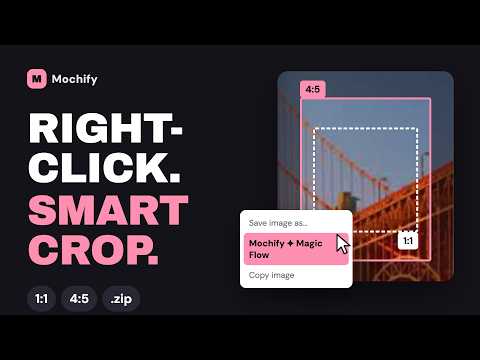
Save pictures from the web in the format you actually need. When you save a picture, Chrome keeps whatever format the website sent, and more and more often that's one your other apps won't open. This extension adds two options to the right-click menu on every image, so you get what you wanted in one step instead of downloading it, finding another tool and uploading it again. CONVERT TO: ONE CLICK, NO TYPING Right-click, choose Convert to, and pick from six formats, from everyday JPG to modern AVIF, or a one-page PDF. The new file goes straight to your Downloads folder. DESCRIBE WHAT YOU WANT Need more than a format change? Choose Send to Mochify... and type what you want in plain language, for example: • "Make it square, remove the background, convert to AVIF" • "Resize to 1200px wide" • "Make the background white" Magic Flow reads the request and does it all in one pass. It can resize, crop, rotate, remove the background, and much more. There are no settings panels and no quality sliders to hunt through. Ask for more than one output and you get them together in a zip. SAVE STRAIGHT TO GOOGLE DRIVE On Seller, Pro and Growth plans, turn on Save to Drive and your results go to Google Drive instead of your Downloads folder. FREE TO START • 3 free conversions with no account at all • 25 a month with a free account, no card needed • A $2 Day Pass (100 within 24 hours) works here too Each file you get back counts as one image. Monthly plans are on our pricing page. HOW YOUR FILES ARE HANDLED Everything is processed on our servers at api.mochify.app. Each file is handled in memory and wiped as soon as it's done: the original is never written to disk and never logged with file data. That's zero retention. It isn't local processing, and we'd rather tell you exactly which one it is. We don't sell your data or use it for anything except running the extension. OPEN SOURCE The code is public under the MIT license at github.com/getmochify/mochify-chrome, so you can read exactly what it does with the access it asks for. ONE AT A TIME The extension works on the picture you right-click. For batches, use our web app at mochify.app. Questions or feedback: hello@mochify.app
0 out of 5No ratings
Details
- Version1.4.0
- UpdatedOctober 19, 2026
- Size80.46KiB
- LanguagesEnglish
- DeveloperWebsite
Email
hello@mochify.app - Non-traderThis developer has not identified itself as a trader. For consumers in the European Union, please note that consumer rights do not apply to contracts between you and this developer.
Privacy

Mochify: Right-Click Image Converter & Compressor has disclosed the following information regarding the collection and usage of your data. More detailed information can be found in the developer's privacy policy.
Mochify: Right-Click Image Converter & Compressor handles the following:
This developer declares that your data is
- Not being sold to third parties, outside of the approved use cases
- Not being used or transferred for purposes that are unrelated to the item's core functionality
- Not being used or transferred to determine creditworthiness or for lending purposes
Support
For help with questions, suggestions, or problems, please open this page on your desktop browser